
How to Write an AI Image Prompt: A Five-Slot Template
How to write an AI image prompt in five slots: subject, scene, style, light, framing. A copyable template, four real prompts split up, six mistakes.
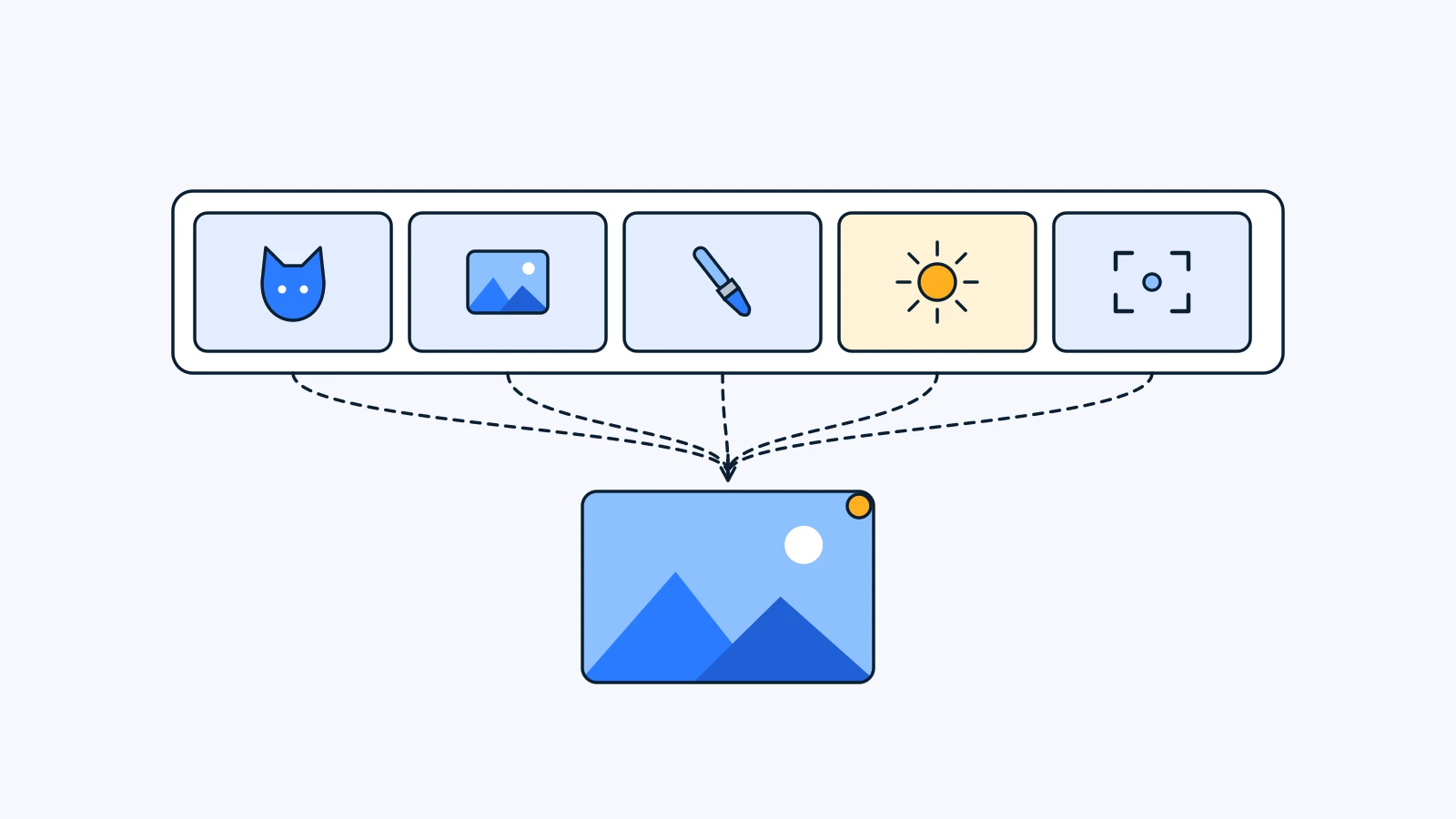
To write an AI image prompt, fill five slots: subject, scene, style, light, and framing. Say who or what the picture is about, where it happens and what moment it captures, what kind of image it is, where the light comes from, and where the camera sits and at what aspect ratio. If you attach a photo, let the photo carry identity only and let the five slots decide everything else.
Key takeaways
- A prompt is not a pile of adjectives. It is a five-part description: subject, scene, style, light, framing.
- In each slot, use words you could point at. Not “a nice background” but “a classroom with a dark green chalkboard.”
- Put the aspect ratio at the end of the framing slot. Leave it out and the model picks one for you.
- A reference photo makes the prompt shorter. The photo carries identity (face, fur color); the prompt carries the scene.
- The same prompt gives a different result every run. Generate three or four and pick one; if only one spot is wrong, fix only that spot.
The five-slot template
Start with the blanks. Each slot answers one question.
| Slot | The question it answers | Example fill |
|---|---|---|
| Subject | Who or what is the star? What are they wearing, and what is their expression? | A dog in a white shirt and green knit vest, looking curious |
| Scene | Where is it? What is around them, and what moment is this? | A wooden desk in a Korean school classroom, an open notebook and a pink pen |
| Style | Photo or illustration? What era or medium does it resemble? | A broadcast still from an early-2000s TV drama, slightly faded color |
| Light | Where does the light come from, what color is it, how soft is it? | Warm window daylight mixed with fluorescent light |
| Framing | Where is the camera, how close, what aspect ratio? | Frontal medium close-up, shallow depth of field, portrait 3:4 |
Copy the block below and fill in the blanks. Keep or delete the bracketed labels, either works. If you are not attaching a photo, delete the first line.
[Photo] Use the uploaded photo only for identity: ___ (face, fur color, hairstyle). Do not copy the original pose, background, or expression.
[Subject] ___ (who/what), wearing ___ (outfit, props), ___ (expression, action).
[Scene] The place is ___, with ___ around them. Capture the moment when ___.
[Style] ___ (photo/illustration/webtoon) style, the feel of ___ (era or medium), color: ___.
[Light] ___ (light source and direction), ___ (color and strength of light).
[Framing] ___ (camera position and distance), ___ (depth of field), aspect ratio ___.
[Exclude] Do not include ___ (text, logos).
The last [Exclude] line is an extra, not one of the five slots. List only the two or three things that truly must not appear.
How to fill each slot
One rule covers all five: choose words that would make a reader picture the same image you do. Here is a vague and a specific version of each slot.
1. Subject: who, and in what state
- Vague: a cute dog
- Specific: a dog in a white shirt, a dark green knit vest, and round thin-framed glasses, both front paws on a desk, head raised slightly
“Cute” means something different to every model and every person. Outfits, props, posture, and expression can be checked by eye, so results wander less. If you want the expression to vary on purpose, give a short list: “pick from curious, slightly surprised, or spaced out.”
2. Scene: where, and what moment
- Vague: a pretty flower field
- Specific: a field packed with deep red cosmos only, a few stems brushing past the lens, a wide clear blue sky opening above
Do not stop at a place name. Write down the objects that will actually sit in the frame and what is happening in that instant. If you want to hold the colors to one family, draw the boundary: “no orange, pink, or yellow flowers.”
3. Style: what medium the image belongs to
- Vague: aesthetic, high quality
- Specific: a broadcast still from an early-2000s Korean high-school drama, slightly faded TV color, light digital noise
“Aesthetic” and “high quality” carry almost no information. Say whether it is a photo or a drawing, and which era and medium it resembles. Avoid using a specific artist’s or title’s name as a shortcut. The romance webtoon selfie prompt even has a separate line saying not to imitate any specific work.
4. Light: source and color
- Vague: bright lighting
- Specific: warm classroom daylight mixed with fluorescent light, a soft bloom on the highlights
Light is the slot people most often leave empty, yet it changes the mood a lot. Name any two of source (window, fluorescent tube, sunset, flash), direction (from behind, from the side), and color (warm, cool), and the mood shifts.
5. Framing: camera position, distance, ratio
- Vague: make it look good
- Specific: an extreme low angle with the camera almost on the ground, the face close and large, portrait 4:5
Write where the camera is (eye level, above, below), how close it is (full body, upper body, close-up), and the aspect ratio. Work backward from where the image will go: 4:5 or 3:4 for an Instagram feed post, 9:16 for Stories or Reels.
A photo makes the prompt shorter
When the image has to show this particular subject, such as your pet or your own face, a reference photo is far more accurate than a description. Fur markings and the shape of someone’s eyes are hard to put into sentences.
The key is dividing the work. Most of this blog’s image Prompts posts that use a photo open the prompt with the same principle: use the uploaded photo only for identity, such as facial features, fur color, and breed, and let the prompt decide the pose, background, and expression. The Louie Y2K drama guide puts it plainly: the original photo supplies identity only.
That one line buys you two things.
- The photo does not need a good pose or background. If the face and fur color are accurate, an ordinary living-room snapshot is enough.
- The subject slot gets shorter. The photo already covers what the subject looks like, so the slot only needs the outfit and expression.
Without that line, the model may drag in the original photo’s background or camera angle. If your result looks too much like the source photo, check this line first.
Real examples: four published prompts, split into five slots
Here are the prompts from four published Prompts posts, broken into slots. The full prompts are in each post; the tables below shorten the relevant sentences.
Louie, Y2K drama
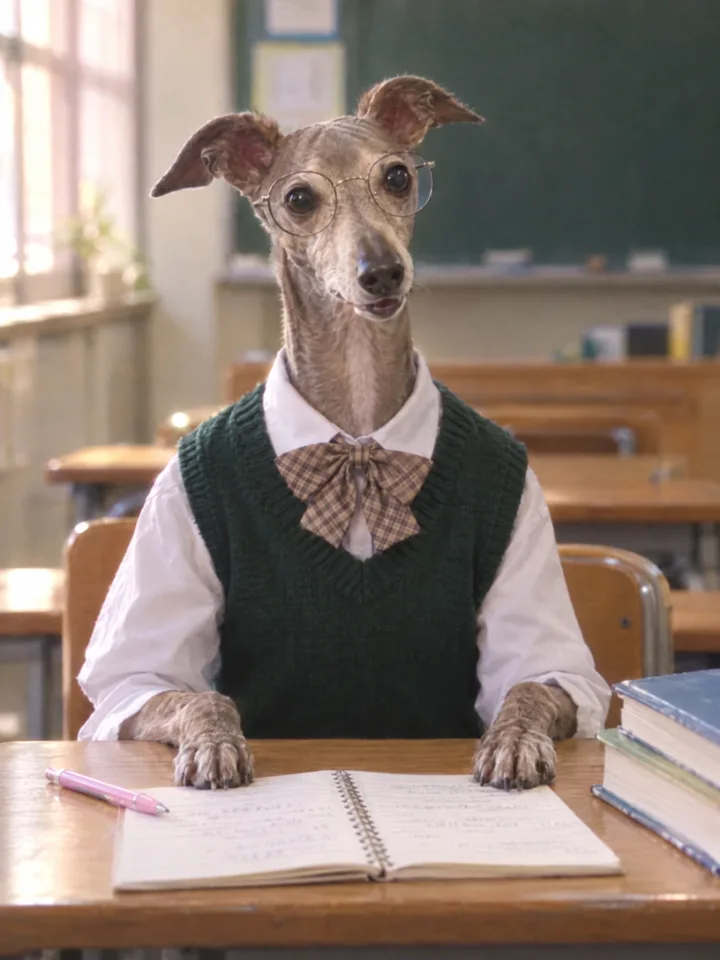
| Slot | What the prompt says |
|---|---|
| Photo | Identity only: face, fur color, breed, ear shape, eyes |
| Subject | White shirt, dark green knit vest, plaid ribbon tie, round thin-framed glasses. Both front paws on the desk, head slightly raised. Expression picked at random from a list |
| Scene | A Korean school classroom with a dark green chalkboard and wooden desks, an open spiral notebook, a pink pen, a few textbooks |
| Style | A broadcast still from an early-2000s Korean high-school drama, slightly faded TV drama tone, light digital noise |
| Light | Warm classroom daylight mixed with fluorescent light, gentle highlight bloom |
| Framing | Teacher’s point of view, frontal medium close-up, shallow depth of field, portrait 3:4 |
| Exclude | Logos, school crests, letters, numbers, watermarks. No editorial, cartoon, or plastic CGI fur look |
This is the textbook case, with every slot filled. The full prompt is in Louie, Y2K drama.
Cosmos field
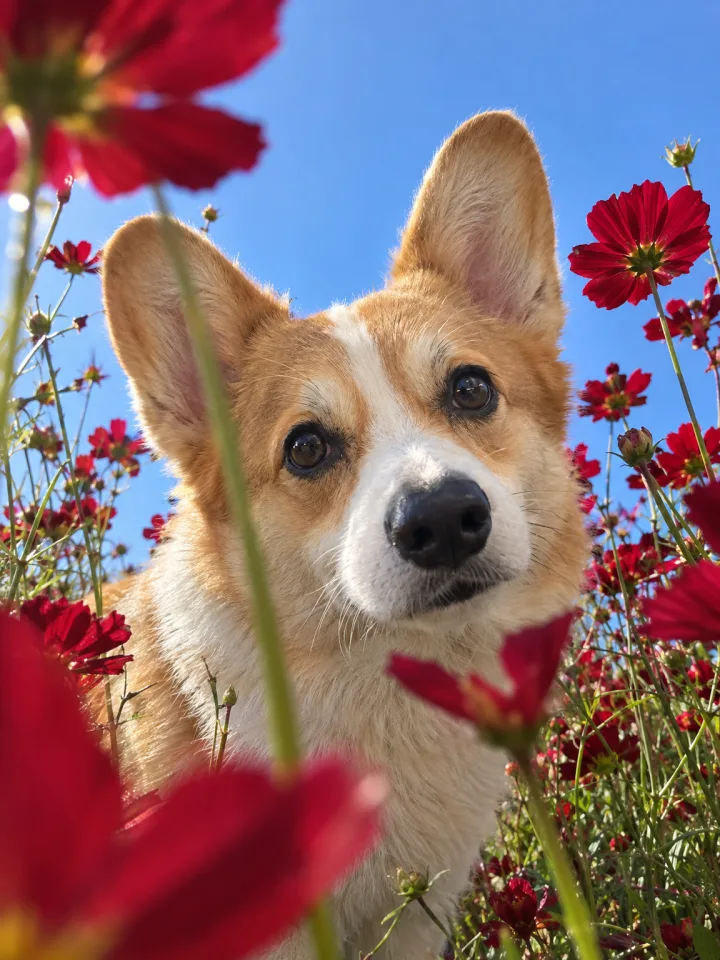
| Slot | What the prompt says |
|---|---|
| Photo | Keep the look, fur color, breed, and facial features. Do not copy the pose, head angle, viewpoint, or background |
| Subject | A curious moment, coming right up to the lens to peer in |
| Scene | A field packed with deep red cosmos only, stems and petals brushing past the lens, a wide blue sky above |
| Style | A pet snapshot taken hastily on an iPhone, slightly clumsy framing |
| Light | Warm natural light, crisp but natural iPhone color |
| Framing | Extreme low angle from just above the ground, face large, body may be cropped, portrait 4:5 |
This prompt spends most of its words on framing, because the camera height defines the whole photo. The full prompt is in the cosmos field pet photo guide.
Romance webtoon selfie
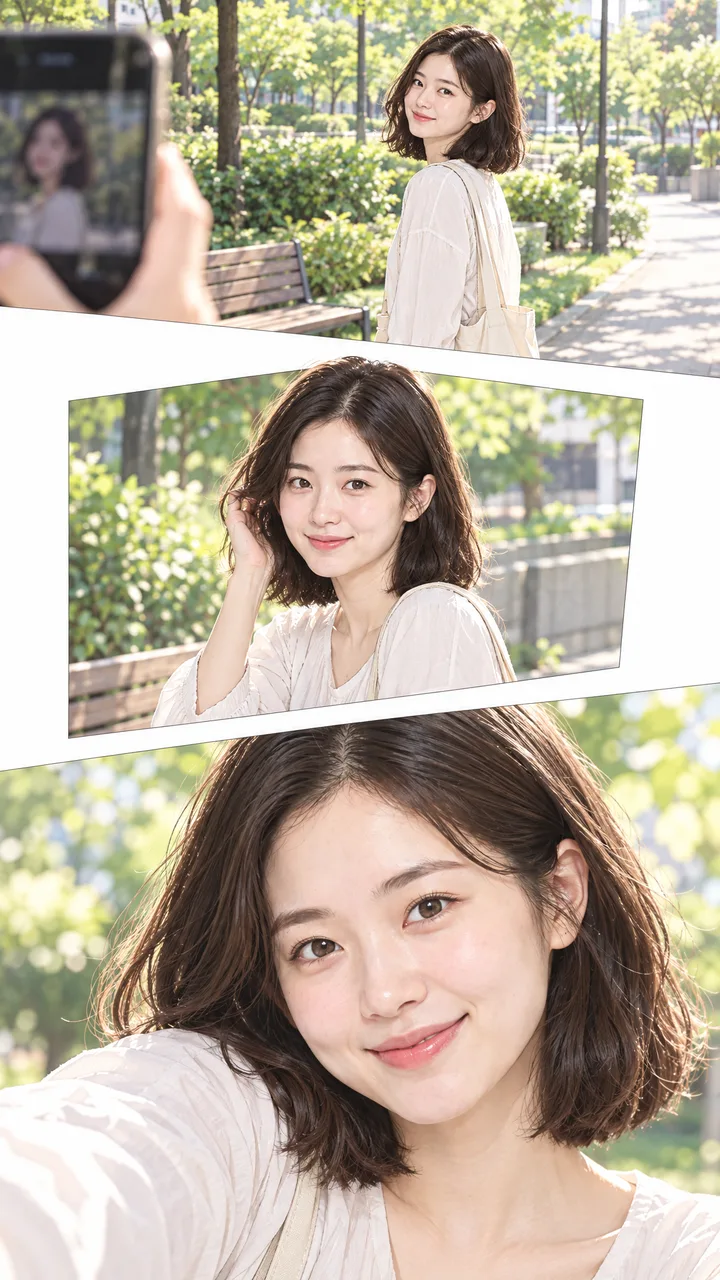
| Slot | What the prompt says |
|---|---|
| Photo | Keep the facial features and hairstyle. Do not copy the pose, background, or composition |
| Subject | The lead being photographed, smiling a little awkwardly at first, then naturally |
| Scene | An everyday place such as a park, a street, or a cafe front. The photographer’s hand or phone may enter the frame |
| Style | A bright, friendly contemporary Korean slice-of-life webtoon, clean lines, soft colors, no imitation of any specific work |
| Light | Not specified |
| Framing | Three scenes: wide, medium, close-up. Varied panel sizes, generous vertical white space, portrait 9:16 |
| Exclude | Speech bubbles, dialogue, captions, sound effects, all lettering |
The light slot is empty. In a webtoon style, “soft colors” in the style slot already sets the mood, and the result above came out without a light line. You do not have to fill every slot. An empty slot simply means the model decides. The full prompt is in the romance webtoon selfie guide.
Retro studio cosmic portrait
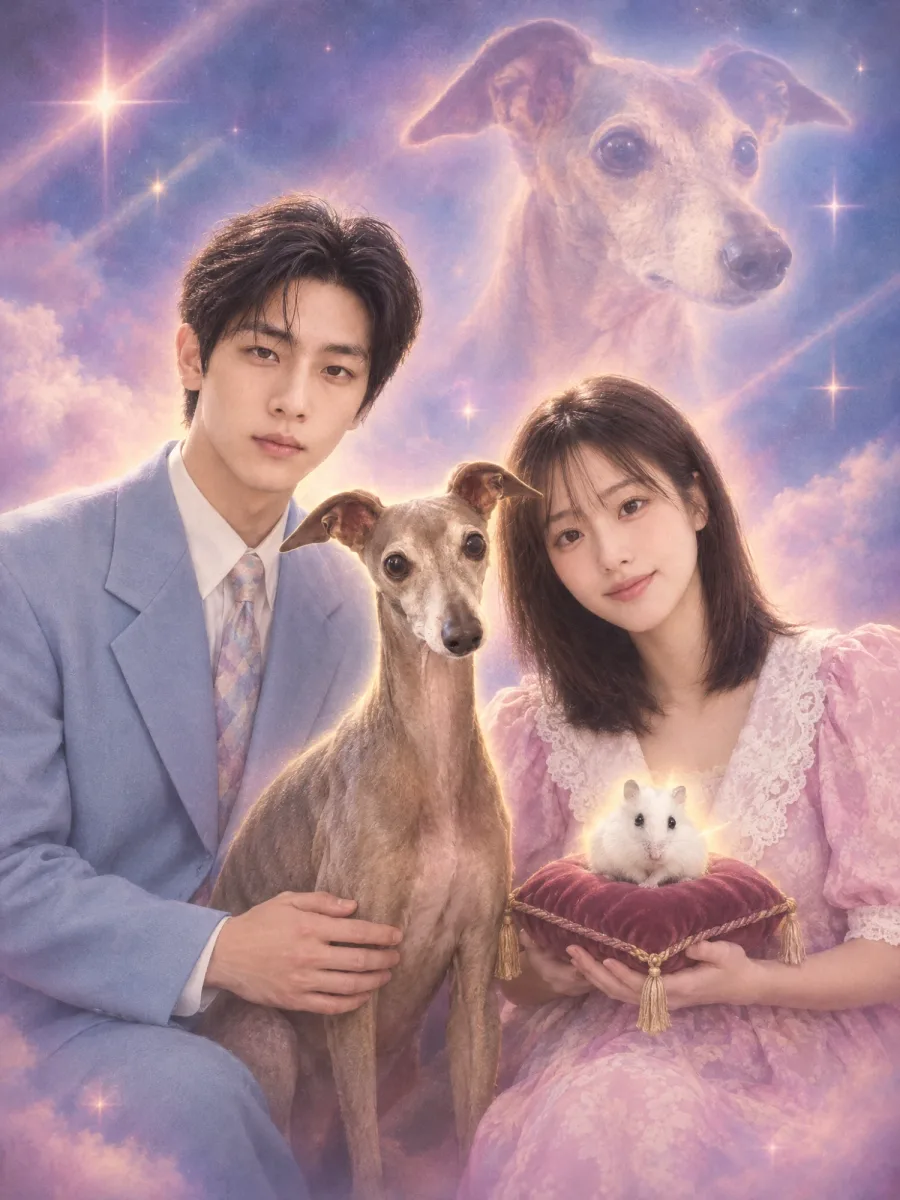
| Slot | What the prompt says |
|---|---|
| Photo | None. The post’s tips say to add an identity line at the top if faces drift |
| Subject | A person and a pet together. The person looks serious or proud; the pet has a clear presence |
| Scene | An airbrushed backdrop with one to three surreal elements, such as a giant pet face, a cloud or starry background, lasers, or an aura |
| Style | A 1980s-90s photo studio composite, a low-budget fantasy composite feel, saturated but slightly faded retro color |
| Light | Dreamy glow, light haze, sparkles, light rays, soft vignetting |
| Framing | About 60% upper body, 25% three-quarter, 15% full body. A different pose each time, tall vertical 4:3 |
| Exclude | Logos, watermarks, brand marks. No exact recreation of existing memes or famous photos |
This prompt builds randomness into the scene and framing slots on purpose, so the same photo gives a different studio visit on every run. The trade-off is the missing photo line, which is why the post tells you to add an identity sentence at the top if faces drift. The table keeps the published wording “tall vertical 4:3”; when you write your own, “portrait 3:4” (width:height) is less confusing. The full prompt is in the retro studio cosmic portrait guide.
Six common mistakes
- Listing adjectives. “Beautiful, aesthetic, premium, high-quality photo” is four words with almost no picture in it. Swap each adjective for one noun you could see.
- Mixing styles that fight. Put “photorealistic, watercolor, 3D render” in one prompt and you will likely get something that is none of the three. Keep one direction in the style slot.
- Leaving out the aspect ratio. Without one, the model decides. If you know where the image is going, end with something like “portrait 4:5.” Generating at the right ratio keeps the composition intact better than cropping later.
- Trying to put text in the image. Generated lettering often comes out garbled, and you cannot pick the font. That is why our Prompts posts exclude text and logos, and when a piece needs lettering, as in the romance webtoon selfie post, it goes on afterward in the design editor.
- A ban list longer than the prompt. Twenty lines of “don’t” bury what you actually want drawn. Keep two or three must-block items in the exclude line and solve the rest by writing the five slots more precisely.
- Expecting the same result from the same prompt. Every run differs. Before rewriting the prompt over a single image, generate three or four with the same settings and see what is consistently wrong.
Where the prompt goes in YouViCo
In YouViCo you generate right inside the project.
- Upload the reference photo to the project.
- Click New file and choose AI. It sits in the same menu as Upload and YouTube link.
- Set the output type to image and pick a model from the list.
- Add the photo under References. You can attach up to five files from the project.
- Paste your five-slot prompt.
- Check the maximum credit cap shown before you generate, then generate. If a generation fails, the credits come back.
The result lands as a normal file in the project, where you can comment on it and draw on it like any other file. Its file info keeps the prompt and references it was made from, so next time you can change one slot and run it again. Why it works this way is covered in how AI generation in YouViCo is designed. AI generation is available from the Standard plan.
FAQ
Do I have to write the prompt in English?
No. The Prompts posts on this blog carry a Korean prompt in the Korean edition and the same prompt in English in the English edition. Before switching languages, check that you filled all five slots completely and specifically in the language you are comfortable with.
Is a longer prompt better?
Look at whether the slots are filled, not at the length. One or two sentences per slot is often enough. The retro studio prompt is long for a specific reason: it carries rules for picking the framing at random. Prompts that get long by repeating themselves or piling up bans tend to get blurrier, not sharper.
Why does the same prompt give a different result every time?
Image generation is built to produce a different result on each run. That is why our Prompts posts suggest generating three or four with the same settings and picking one. If the same part keeps coming out wrong across several images, make the matching slot more specific.
I like the image but one spot is wrong. What now?
Rewriting the prompt and regenerating the whole image can change the parts you liked. With YouViCo’s spot AI image editing, you click the spot to pin it and write a short instruction, and only that area is changed. Nearby details can still shift slightly, so compare the result with the original. See what spot AI image editing is for details.