
What Is Spot AI Image Editing? Change Just One Part
Spot AI editing changes one area of an image from a short instruction and leaves the rest alone. How it works, and when to use it instead of regenerating.
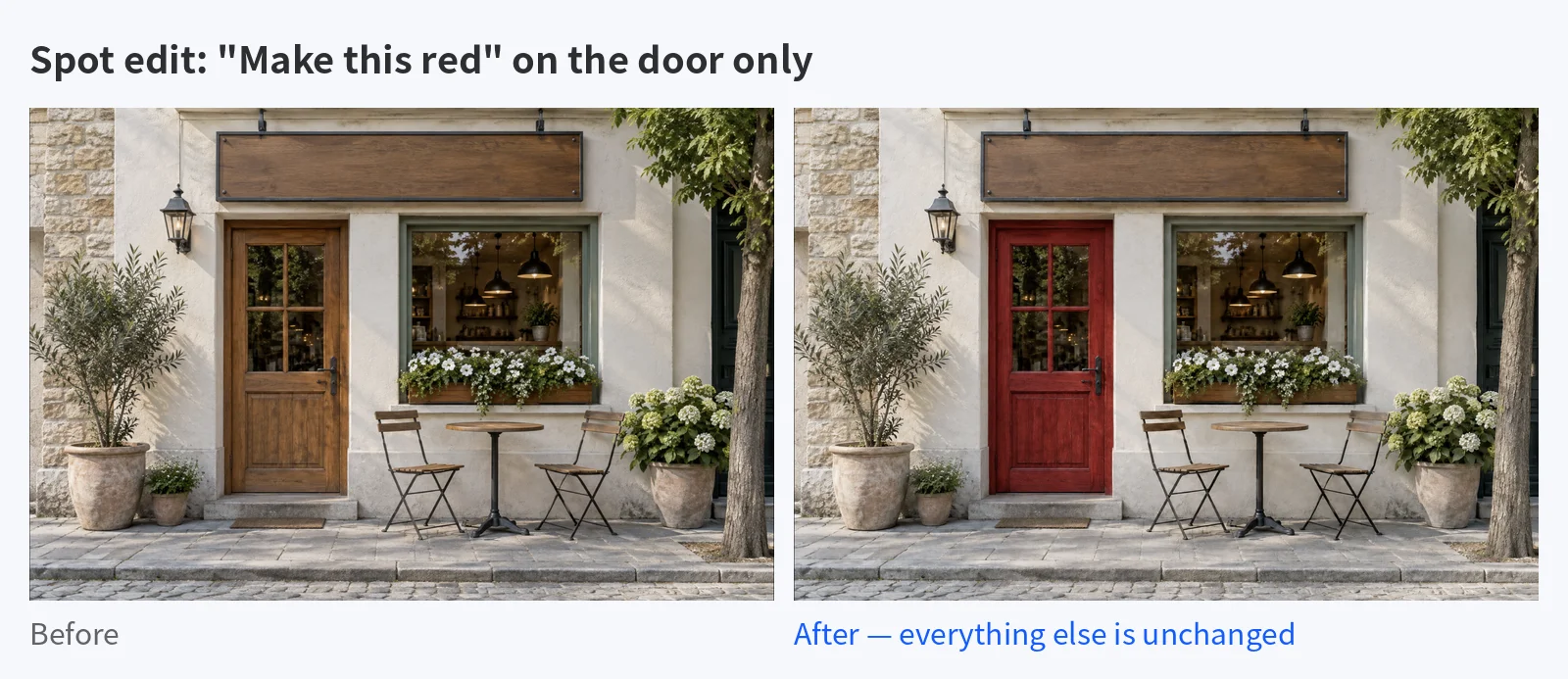
Spot AI image editing is a way to change one specific area of an image with a short text instruction while leaving everything else as it was. Instead of rewriting the prompt and regenerating the whole picture, you point at the part that needs to change and say what should change.
Key Takeaways
- Spot editing is a local change. One area changes; the lighting, framing and every other object stay put.
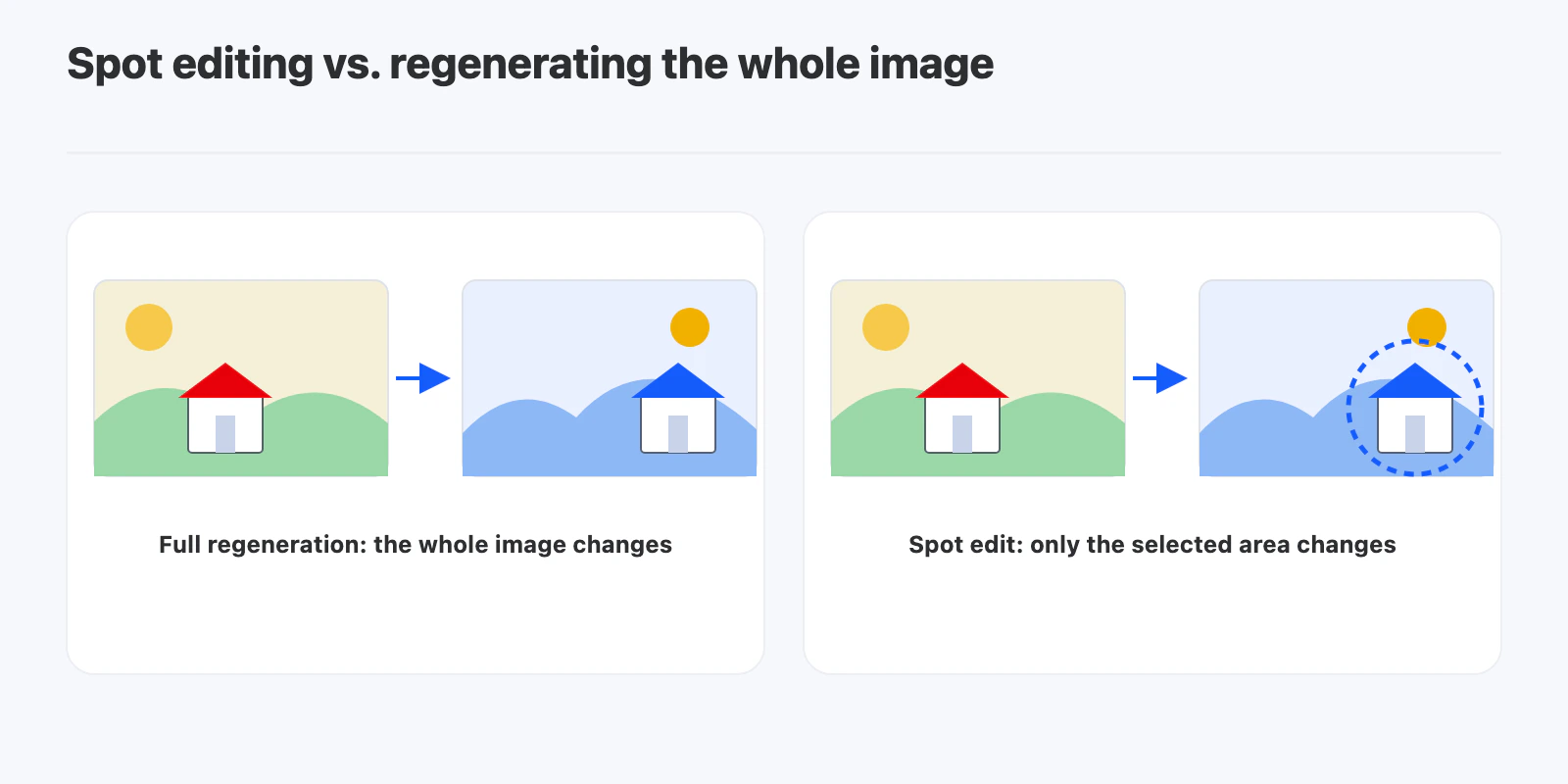
- It solves the “fix one thing, lose everything else” problem that comes with regenerating an image to correct a single detail.
- You point instead of paint. Classic inpainting asks you to brush a mask. Point-based spot editing asks you to click the object and describe the change.
- It works best for small, specific feedback: recolor an object, swap a prop, remove a distraction.
- It is the wrong tool for big changes. A new camera angle or a different composition still calls for a new generation.
Why not just regenerate the image?
Image models don’t edit a picture the way a designer does. Each generation samples a new image, so even a small prompt change can shift the lighting, the framing or the shape of every object.
That is a problem in a review workflow. Most feedback on an image is local: “make the door red”, “remove the cup on the left”, “the sign should be blank”. Regenerating turns a one-line note into a whole new round of review, because now everything else has to be checked again.
How does spot AI image editing work?
Point at the area
You mark the spot on the image where the change should happen. In point-based tools this is a single click on the object, not a hand-drawn outline.
Describe the change
Next to the spot, you write what should happen there, in plain words: “Make this red”, “Replace with a potted plant”, “Remove this”.
The model changes that area and keeps the rest
The model uses the spot and the instruction together to work out what to change. The goal is that pixels outside that area stay as they were. In practice, always compare the result with the original, because a model can still nudge nearby details.
What is the difference between spot editing and inpainting?
Both change part of an image. The difference is how you tell the tool which part.
| Mask-based inpainting | Point-based spot editing | |
|---|---|---|
| How you select | Paint over the exact area | Click the object |
| Precision | Follows your brush edges | Model infers the object’s extent |
| Speed | Slower, needs careful masking | One click and a sentence |
| Best for | Irregular areas, exact boundaries | Clear objects: a door, a sign, a cup |
Point-based editing is faster for the kind of feedback clients and teammates actually leave. Masking is still useful when the area has no clear edges, like part of a sky.
When should you use spot editing?
Good fits:
- Recoloring one object to match brand colors
- Swapping a prop for a different one
- Removing a small distraction from the background
- Applying a single reviewer comment without touching approved parts
Poor fits:
- Changing the camera angle or crop
- Restyling the whole image
- Changes that affect lighting across the entire scene
For those, write a new prompt and generate a fresh image.
How do you make a spot edit in YouViCo?
YouViCo, a video collaboration platform for creative teams, includes an image editor with spot editing, inside the same project where images get reviewed.
- Open an image from your project in the image editor and select AI edit.
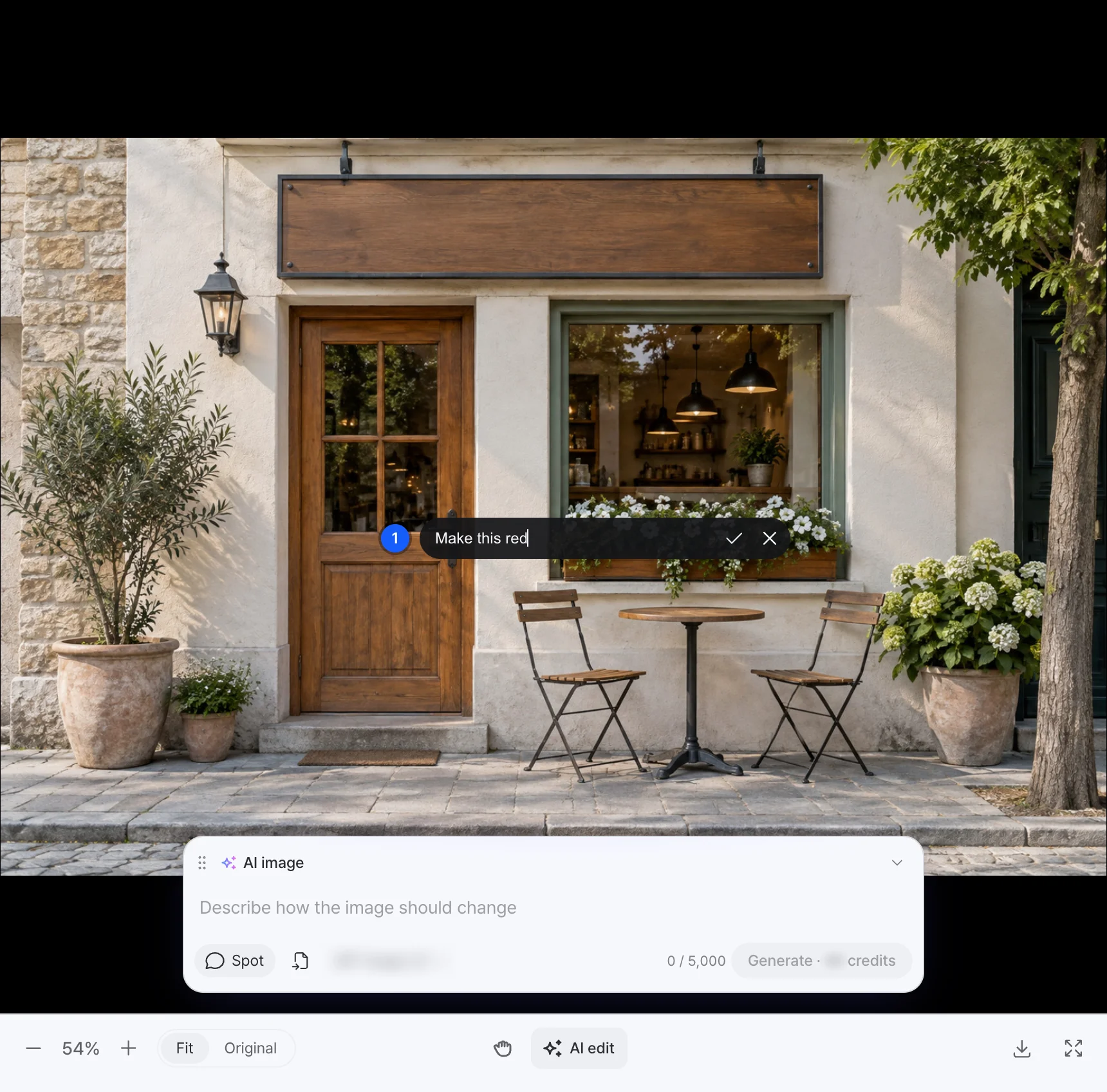
- In the AI image panel, choose Spot.
- Click the area you want to change. A numbered pin appears. Type the instruction next to it, for example “Make this red”, and confirm.
- Pick an image model and generate. The panel shows the credit cost before you start.
- Compare the result with the original. If something outside the spot changed, make the instruction more specific and try again.
If you work with video as well as stills, see our guide to AI video generation.
Frequently Asked Questions
Is spot AI editing the same as inpainting?
They solve the same problem. Inpainting usually means painting a mask over the exact area. Spot editing lets you click an object and describe the change, and the model works out the area.
Will anything else in the image change?
It shouldn’t, and that is the point of spot editing. Models can still slightly alter details near the edited area, so compare the result with the original before you approve it.
What kinds of edits work best?
Clear, single-object changes: a color, a replacement object, or removing something small. The more specific the instruction, the more predictable the result.
Does spot editing use AI credits in YouViCo?
Yes. Spot edits are AI generations and use AI credits. The cost is shown on the generate button before you start.