
Wait, I've seen this somewhere. Oh, it's our Louie
One photo in, and our Louie became the lead of an early-2000s Korean school drama. Copy the prompt and try it with a photo of your own dog.
- Model
- YouViCo AI generation · New file ▸ AI, output format Image
- Difficulty
- Beginner
- Time
- 5 min, plus a minute or two per image
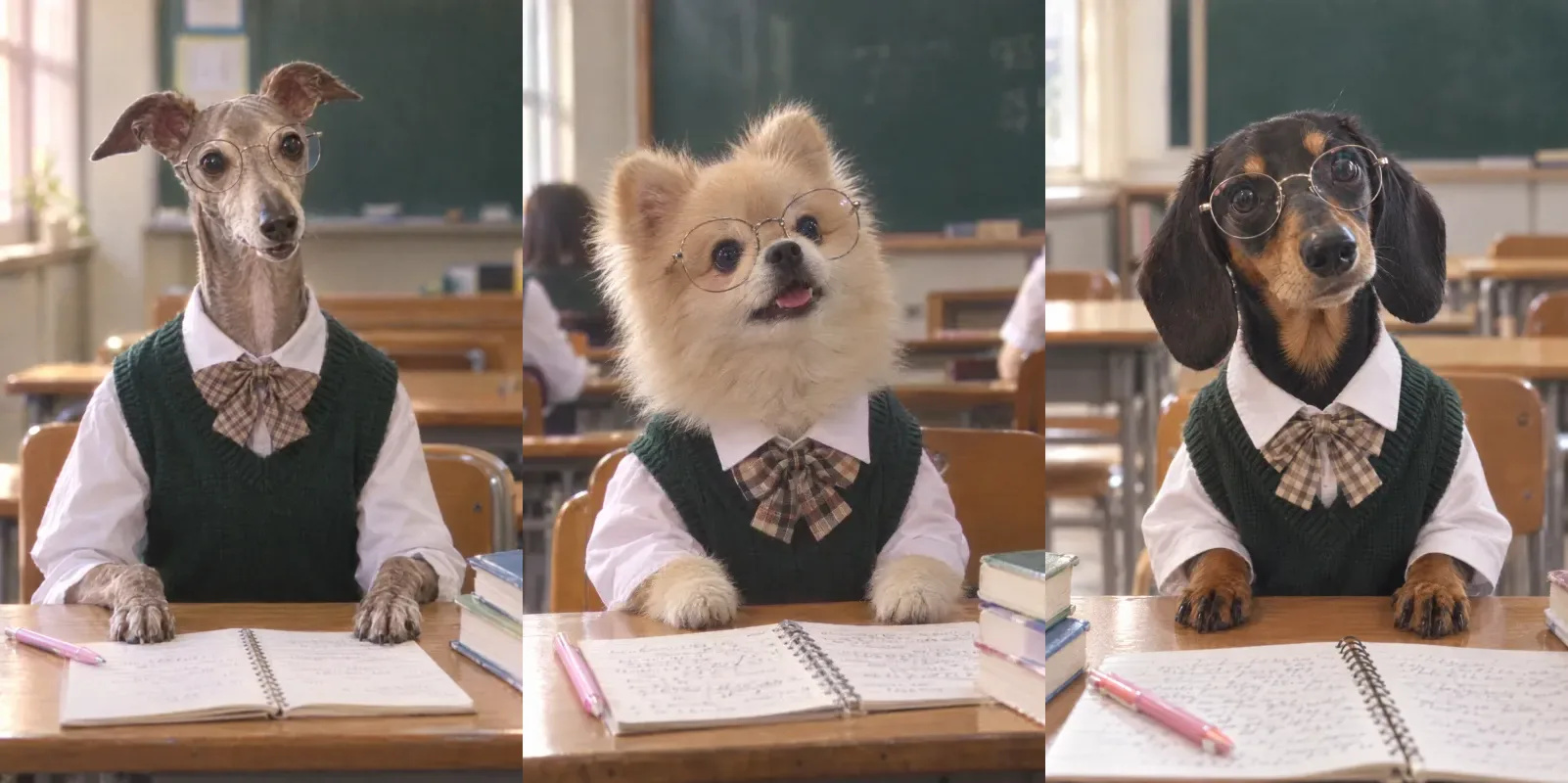
Before and after
One photo in, one still out. Same prompt every time.
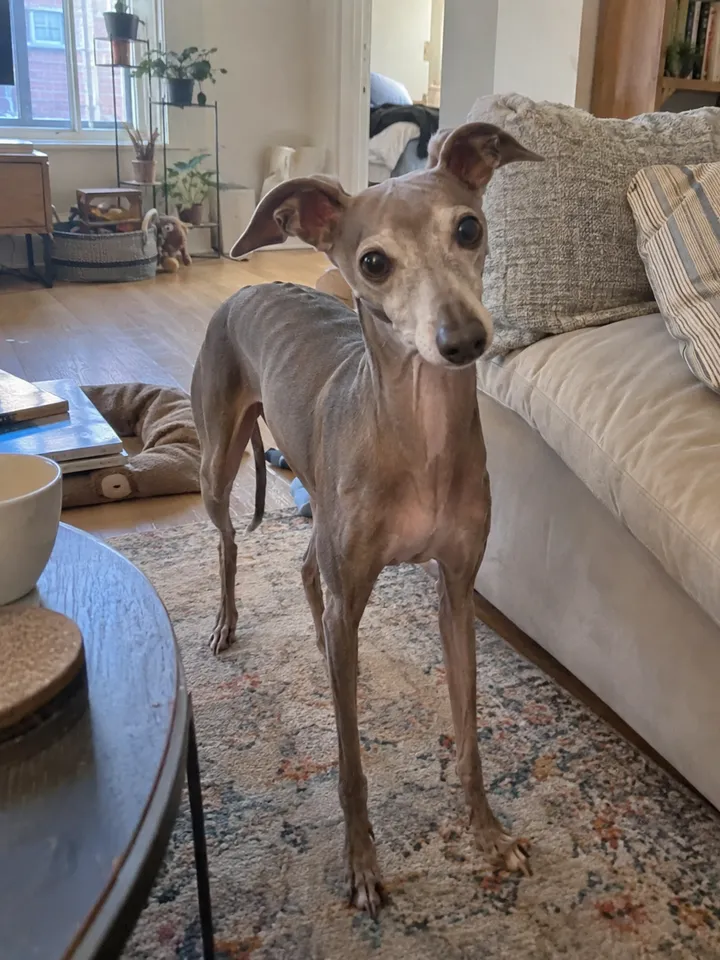
Input 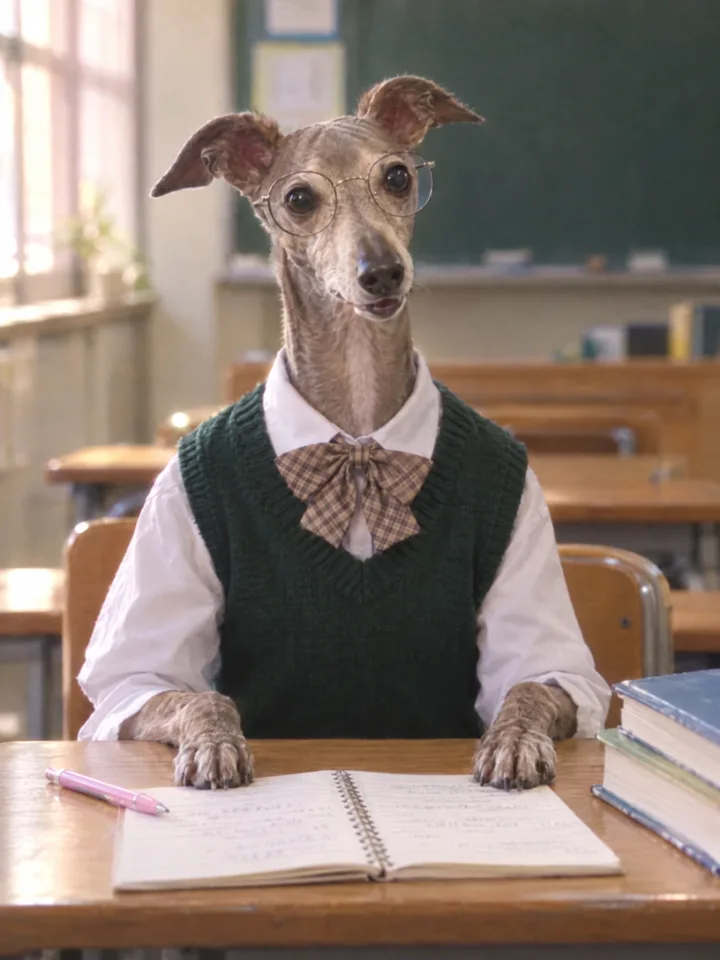
Result Louie · Italian greyhound
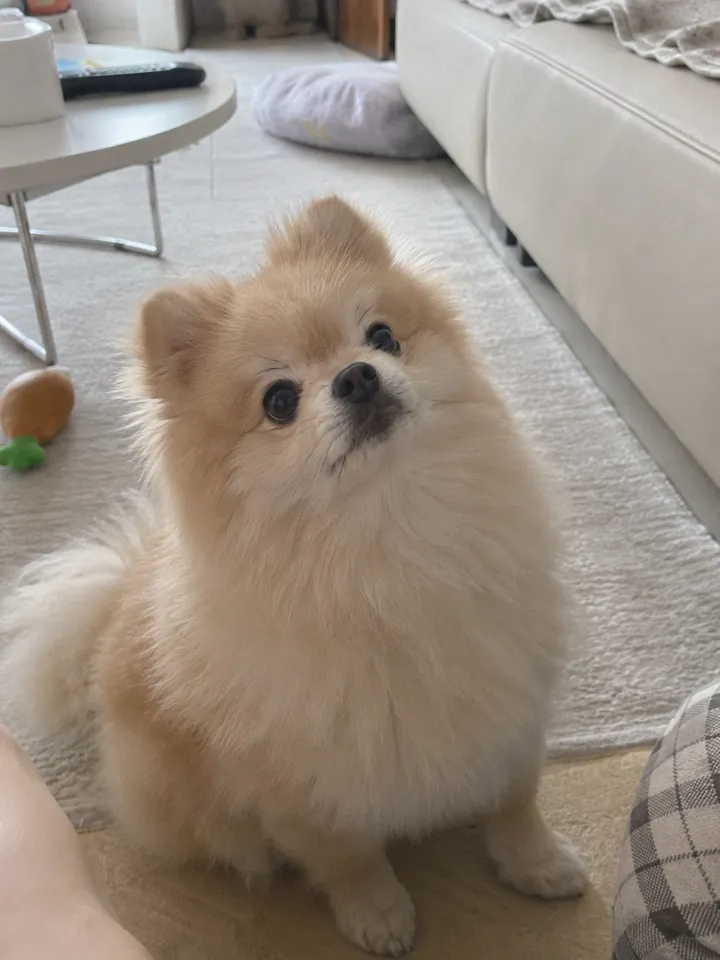
Input 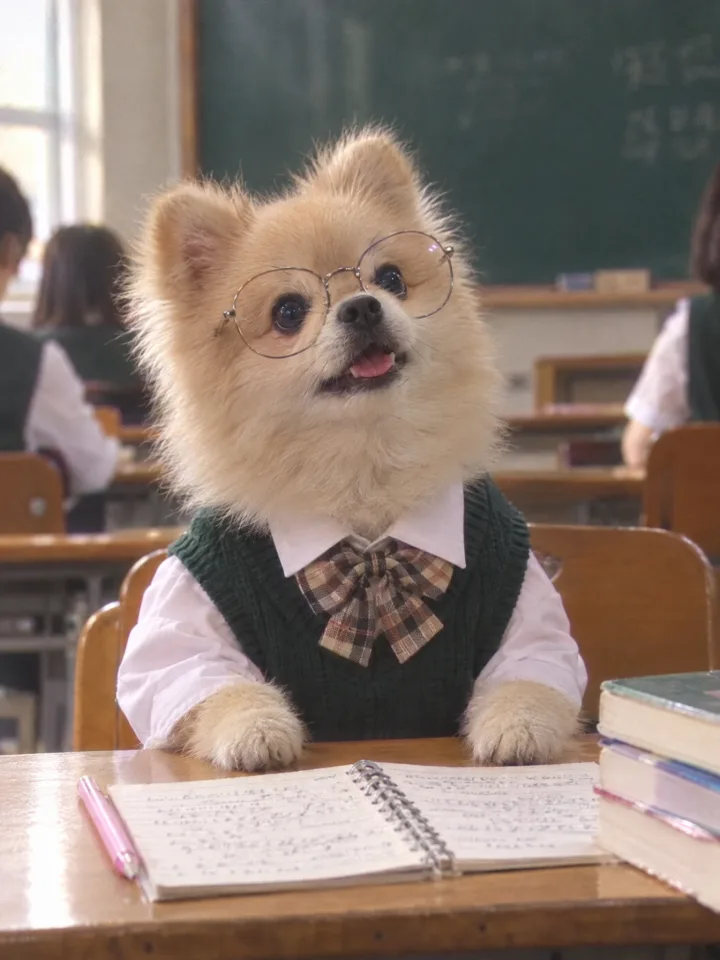
Result Pomeranian
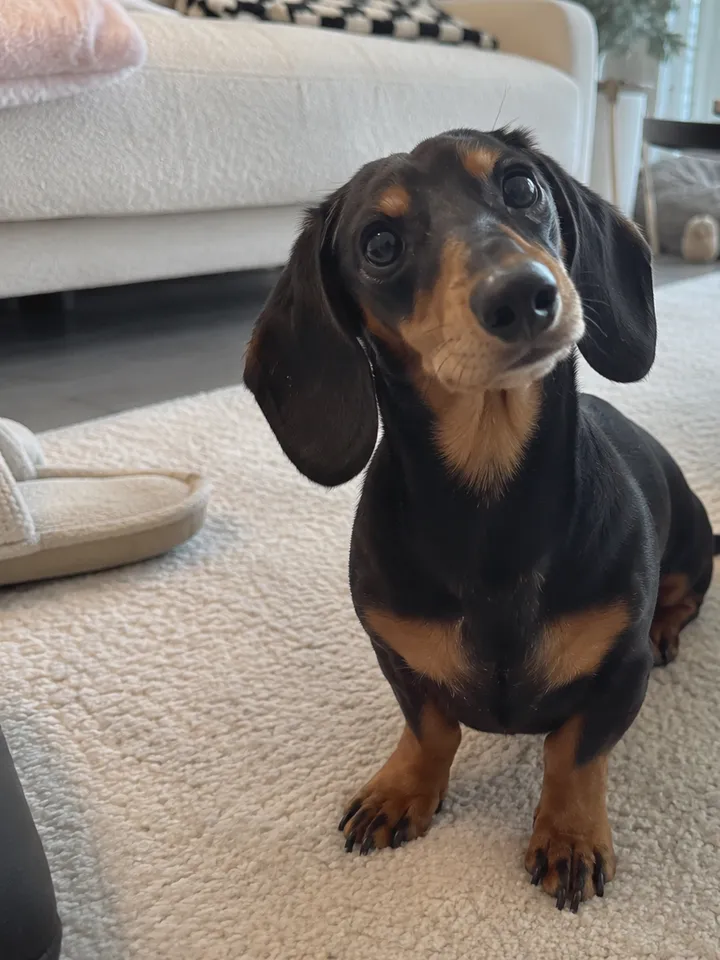
Input 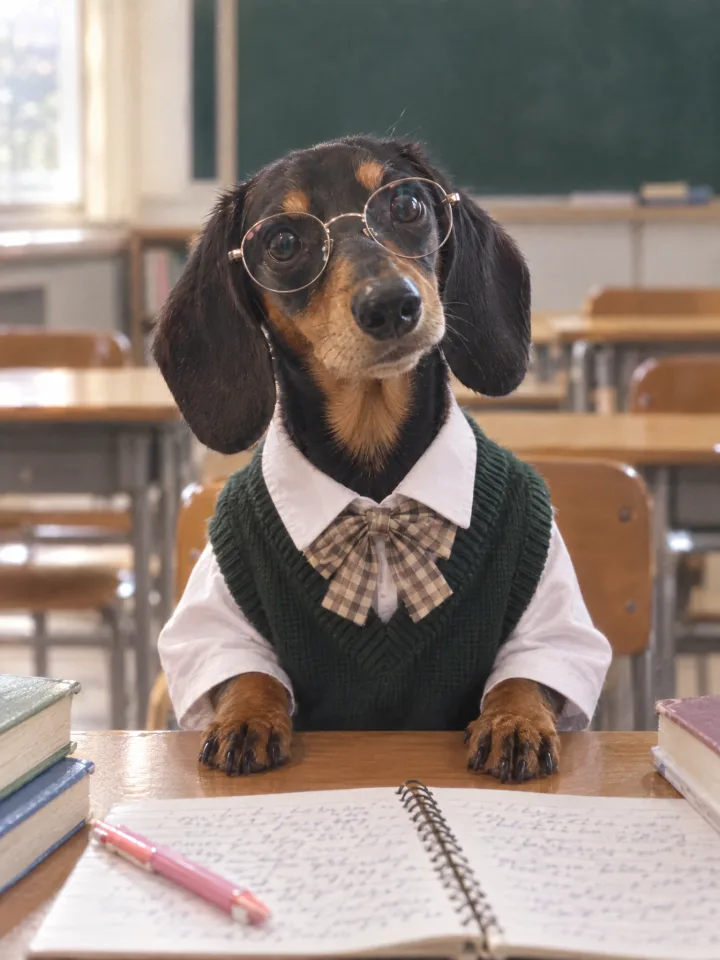
Result Dachshund
What you need
Prepare these before you start. Slot names map to the placeholders in the prompt.
One photo of your pet
photoAnything that shows the face and fur color clearly. The original pose, background, and expression are not carried over, so an ordinary living-room snapshot is enough.
One photo in, and our Louie became the lead of an early-2000s Korean school drama.
Remember how dramas from back then had that soft, dreamy filter? If Louie had been a student in those years, he would have been popular for sure. We ran the same prompt on a Pomeranian and a dachshund too, and transferred them to the same classroom. Copy the prompt below and try it with a photo of your own dog.
What we are making
You give it one photo of your pet and get back a still that looks like a broadcast capture from an early-2000s Korean school drama: your pet at a classroom desk, in uniform, glasses on. The prompt takes only identity from the original, meaning face, fur color, breed, ear shape, and eyes. Pose, gaze, and background are set by the prompt, so a photo on the living-room rug and a photo from a walk end up in the same classroom.
The expression is chosen at random by the prompt: curious, slightly surprised, excited, focused, spaced out. Generate three or four from the same photo and one of them will be unmistakably your dog.
Three steps
Step 1. Upload one photo
Upload a photo of your pet to a YouViCo project. A sharp face and true-to-life fur color are what matter. It does not have to be a frontal shot.
Step 2. Choose Image in New file ▸ AI
Click New file, then the AI tab. Set Output format to Image, pick a model from the list, and add the photo you just uploaded under References.
Step 3. Paste the prompt and generate three or four
Paste the prompt below as is and create the file. Because expression and mouth vary every time, run the same settings a few more times and keep the one that looks most like your pet. Each run is a new file; tag the keeper Approved so it is easy to find later.
Use the uploaded pet photo only for identity: face, fur color, breed, ear shape, eyes. Do not copy the original pose, gaze, angle, expression, or background.

Stage the image like a single broadcast still from an early-2000s Korean high-school drama. The animal sits facing the camera at a wooden desk in a Korean school classroom, both front paws on the desk, head raised slightly as if looking toward the teacher, caught in a natural moment.

Pick the expression naturally and at random from: curious, slightly surprised, excited, focused, spaced out, gentle reaction. Vary the mouth too, closed / slightly open / a little more open, and do not repeat the closed mouth every time. Avoid exaggerated human-like smiles; keep it natural and cute, like a real animal reacting in the moment.

Outfit: white shirt, dark green knit vest, beige-and-brown plaid ribbon tie, and large round glasses with thin metal frames.

On the desk: an open spiral notebook with handwriting and a pink pen, with a few textbooks beside it.

Background: a real Korean school classroom with a dark green chalkboard and wooden desks and chairs, softly blurred with shallow depth of field.

Camera: teacher's point of view, frontal medium close-up, a hint of motion as if caught mid-moment, slight focus wobble, soft broadcast-camera texture.

Lighting: warm classroom daylight mixed with fluorescent light. Color: slightly faded early-2000s Korean TV drama tone, gentle highlight bloom, light digital noise.

The animal's fur is clean, fluffy, and softly groomed.

Never include logos, school crests, brand names, letters, numbers, or watermarks.

Portrait 3:4. Keep the real animal's natural fur texture and body proportions.

No pet-magazine editorial look, no studio photo, no character or mascot style, no cartoon, no exaggerated big eyes, no plastic CGI fur, no dirty fur, no overly perfect staged-photo feel.
Tips before you run it
- The original is used for identity only. The first sentence of the prompt is that promise. You do not need a pretty pose or background, only an accurate face and fur color.
- Generate three or four, then choose. Expression and mouth are random. Do not judge from one image; run the same settings a few times and pick the one that looks like your pet.
- Avoid photos with messy fur. The prompt asks for groomed fur, but wet or matted fur in the original leaves traces in the result.
- Text and logos are blocked on purpose. Chalkboard writing or a school crest breaks the broadcast-capture feel and can produce a real school’s name. Add anything like that later in a design tool.
- Pets only. Do not run this prompt on photos of people. Generating a real person’s likeness is a rights problem.
- The result is portrait 3:4. It fits an Instagram feed as is. If you need 9:16 for stories, change the ratio line and regenerate rather than cropping.
Frequently asked questions
Does it work with cats?
Yes. The prompt only says “animal,” so breed and identity come from the photo. The paws-on-the-desk pose can look less natural on a cat than on a dog, so generate a few extra.
The face came out a little off.
The photo probably carried too little identity. Add one more photo with a larger, well-lit face under References and regenerate.
Make your own version
Open your project in YouViCo, attach the references, paste the prompt, and share what you make.