
We took one photo and the cosmos came along: a retro studio portrait prompt
One photo with your pet, and the whole universe tagged along. A fully loaded 1980s-90s photo-studio composite prompt, with clouds, lasers, and a giant floating pet face.
- Model
- YouViCo AI generation · New file ▸ AI, output type Image
- Difficulty
- Beginner
- Time
- 5 min, plus a minute or two per image
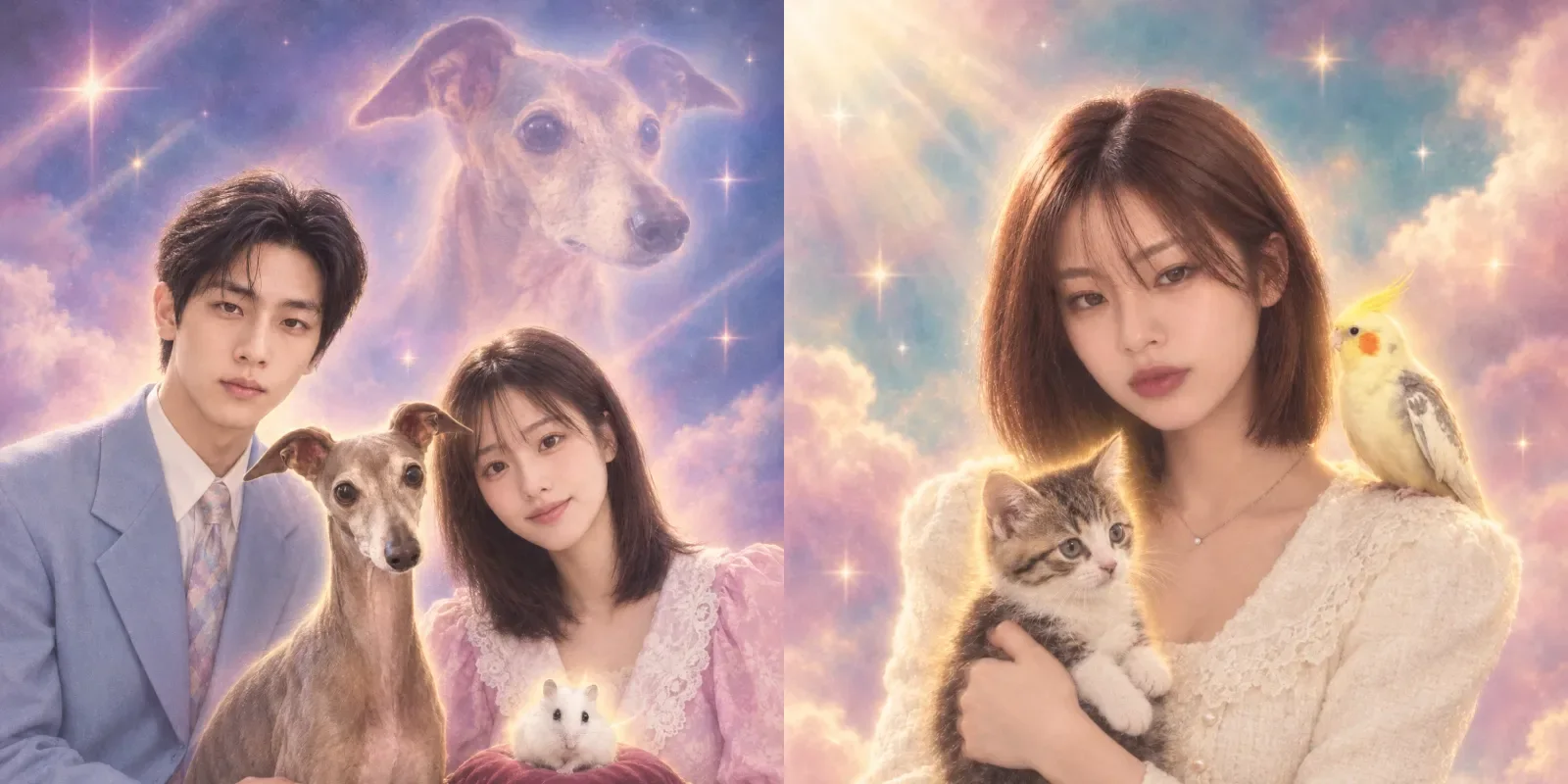
Before and after
Four results from the same prompt. The composition and the surreal elements change every run.
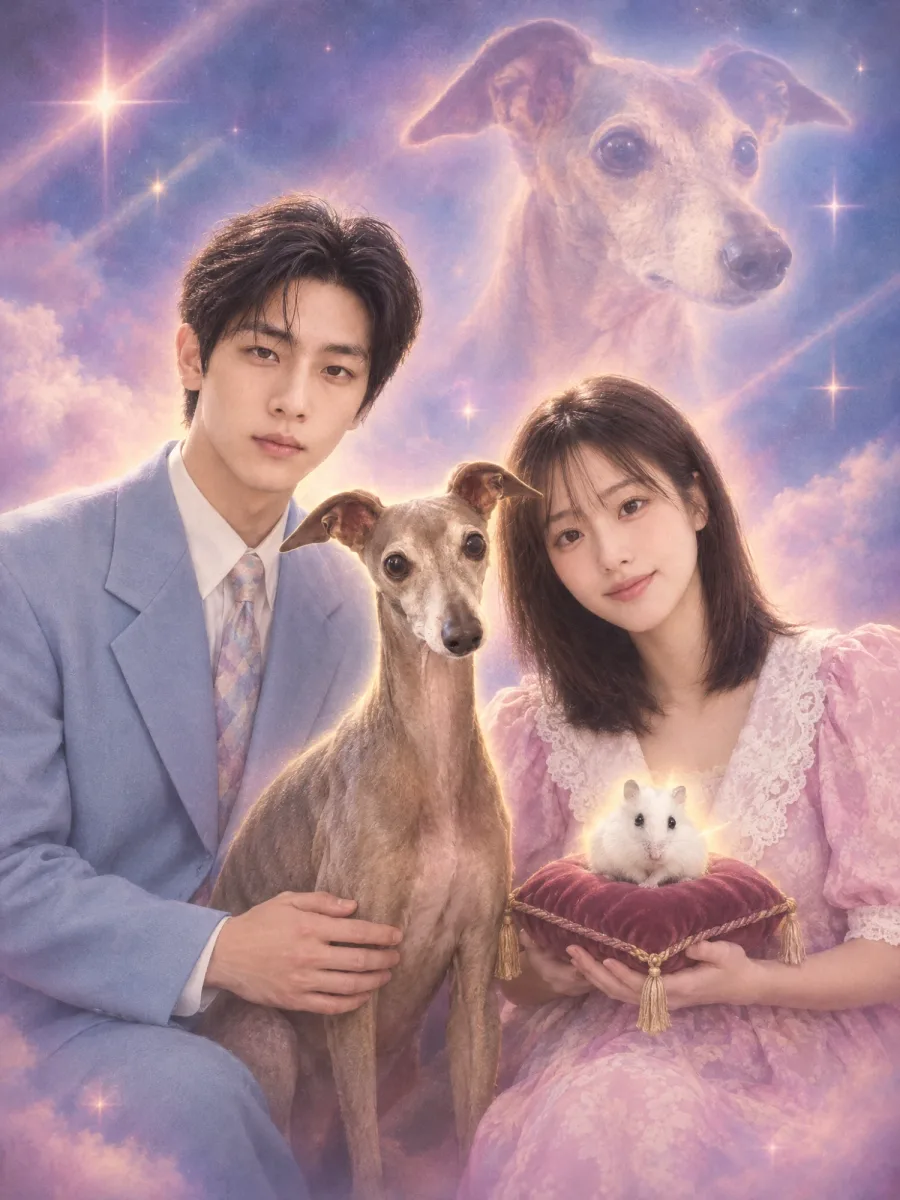
Result A couple, a greyhound, and a hamster, under a giant dog face
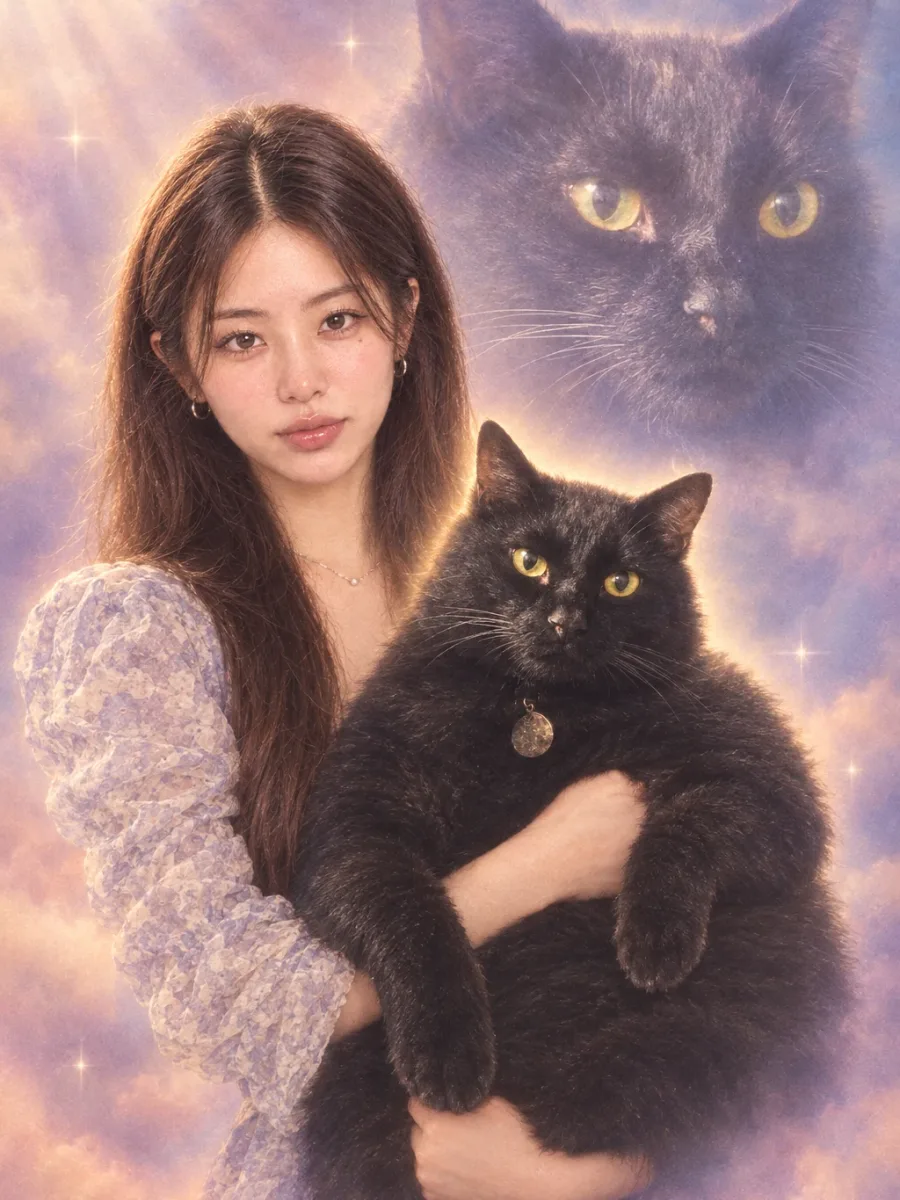
Result Upper body, formally holding a black cat
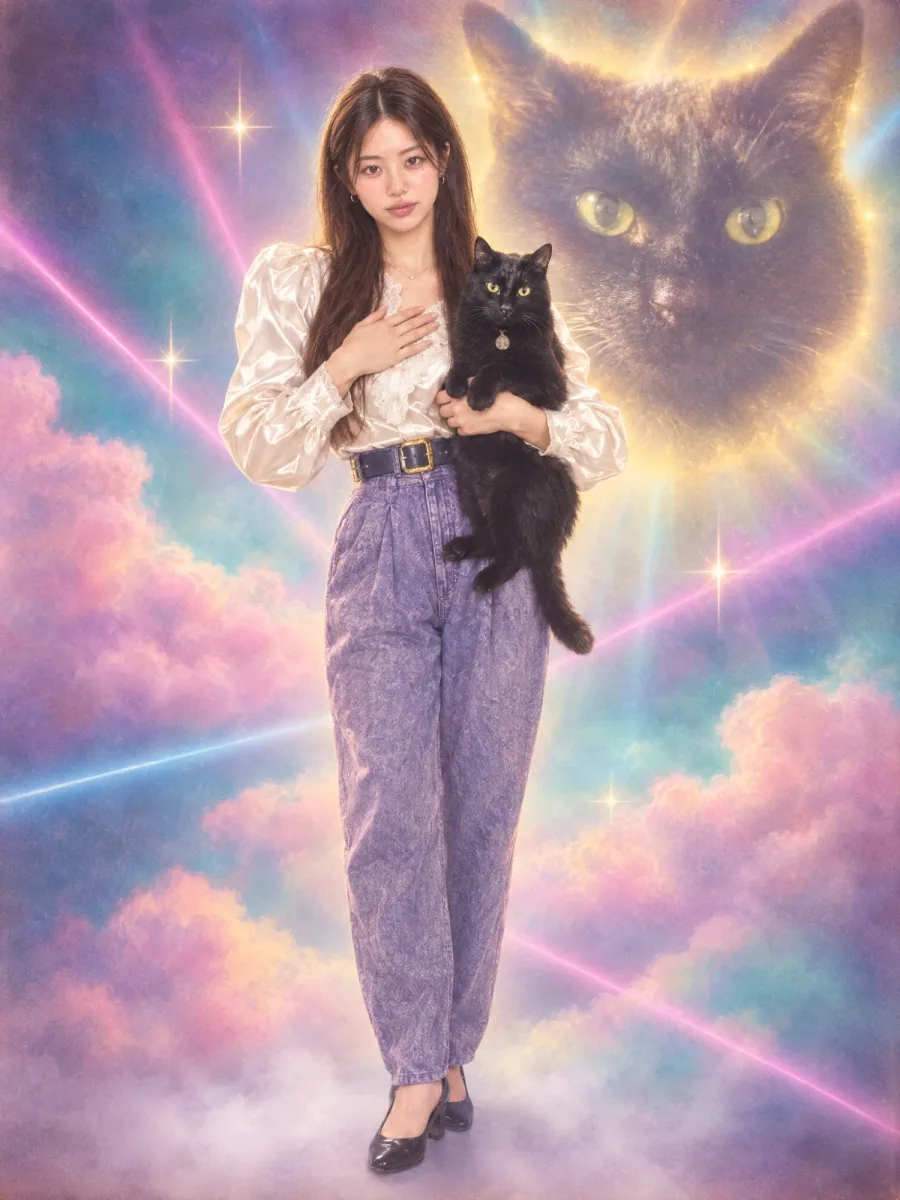
Result The occasional full-body shot. Lasers come standard
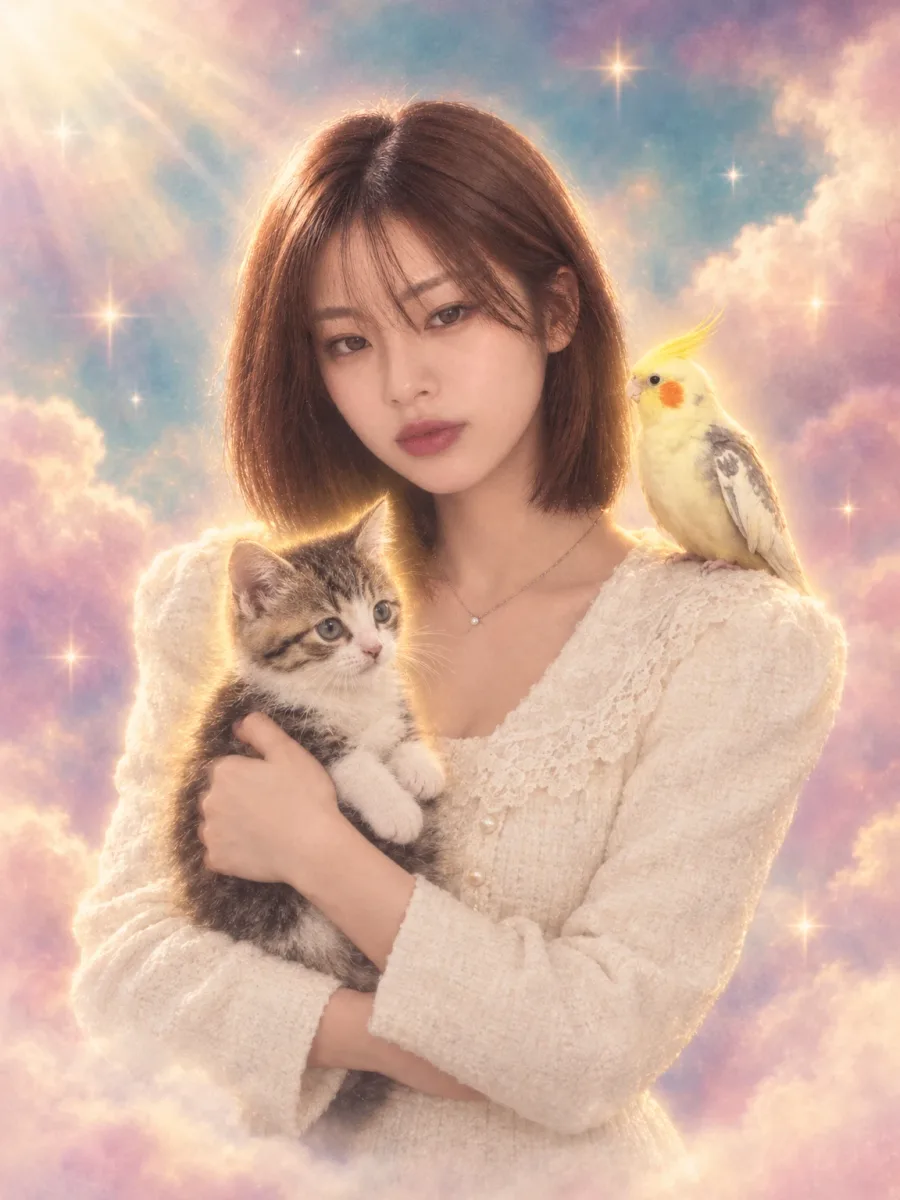
Result A kitten, a cockatiel, and heavenly clouds
What you need
Prepare these before you start. Slot names map to the placeholders in the prompt.
Photos of you and your pet
photoA photo of you together works best, but you can also upload separate photos and attach them all as reference files. You can attach up to five.
We took one photo with our pet, and the cosmos came along.
Clouds, stars, sparkles, light rays, and a giant version of your pet’s face floating in the background. It is the feel of a composite portrait from a neighborhood photo studio in the 1980s or 90s, the kind you saved up for. Lasers come standard.
What we are making
A studio portrait that is tacky and kitschy but strangely sincere. The person wears the serious or quietly proud face of an old studio portrait, and the pet is held formally, like the star of a family photo. Behind them: airbrushed clouds, beams of light, and one or two surreal touches.
The heart of this prompt is randomness. It picks only 1 to 3 surreal elements, such as a giant pet face, tiny cloned pets, lasers, lightning, or an aura, and it even sets ratios so the composition keeps changing: 60% upper body, 25% three-quarter, 15% full body. Run the same photos several times and each result looks like a visit to a different studio.
Three steps
Step 1. Upload photos of you and your pet
Upload photos of the person and the pet to a YouViCo project. If you do not have one of you together, separate photos are fine.
Step 2. Choose Image in New file ▸ AI
Click New file, then the AI tab. Set the output type to Image, pick a model from the list, and add the photos you just uploaded as reference files. You can attach up to five.
Step 3. Paste the prompt and generate a few times
Paste the prompt below as is and click Create file. It is built to change composition and surreal elements every run, so generate three or four and keep the most gloriously tacky one.
Create an original retro surreal portrait featuring a person and a pet together,
capturing the tacky, kitschy feel of a 1980s-1990s photo studio composite.
Overall it should feel funny, affectionate, and a little awkward.
However, do not copy the composition, pose, background, or staging of any specific reference image;
take only its particular mood.
In other words, express a retro, absurd, yet sincere, deliberately overblown sensibility.
Visual style

* A vintage mall photo studio / old family portrait studio feel
* A softly airbrushed background
* A dreamy glow, light haze, sparkle effects, light rays, soft vignetting
* Slightly awkward composition
* Humorous surreal distortions of scale
* The charm of a low-budget fantasy composite
* Retro colors that are highly saturated but slightly faded
* A corny but heartfelt atmosphere
* A deliberately dramatic yet sincere mood

Subjects

* A person and a pet posing together
* The pet must be clearly visible and have a significant presence
* The person wears a serious, or pleased and proud, expression like an old studio portrait
* Their interaction should be lovably ridiculous, strangely sincere, and memorable

Surreal elements you can include
(do not include them all at once; choose only 1-3)

* A giant pet face floating in the background
* Several small cloned copies of the pet
* A person formally holding the pet like a family portrait
* A heavenly cloud background or a starry background
* Laser beams or old yearbook-style lighting
* Soft lightning effects
* A glowing aura around the pet
* A fantasy romance portrait mood
* An exaggerated double-exposure effect
* Old-school glamour portrait framing

Important

* The final image must look original, not copied from an existing image
* Do not include recognizable logos, watermarks, or brand marks
* Do not exactly recreate existing memes or famous photos
* Overall it should be funny, strange, and nostalgic, yet visually well finished

Randomizing composition and pose
Vary the composition and pose with every generation,
but do not let full-body portraits appear too often.
Recommended ratio:
- About 60%: upper-body or waist-up portrait
- About 25%: three-quarter portrait showing down to about the thighs
- About 15%: full-body portrait from head to toe
That is, default to an upper-body or waist-up composition,
and use a full-body composition only occasionally.
Compose a different pose every time.
Upper-body / waist-up examples:
- The person holding the pet in their arms, facing forward
- The person shoulder to shoulder beside the pet
- The person proudly holding the pet, looking slightly to the side
- An old family-portrait pose with the person's face and the pet's face both shown large
- The person looking at the camera with a serious expression, with the pet appearing at the bottom or side of the frame
Three-quarter examples:
- The person with one hand on the hip, the pet sitting beside them
- The person holding the pet in one arm, the other hand resting naturally
- The person and the pet standing awkwardly side by side
Use full-body compositions only rarely.
Even when full body is chosen, use a slightly stiff, awkward pose,
as if a 1980s-1990s studio photographer had arranged it,
rather than a polished fashion-editorial pose.
Important:
Do not repeat the same composition from one generation to the next.
Do not use a full-body portrait as the default.
Prioritize upper-body and waist-up compositions.
The aspect ratio is a tall vertical 4:3.
Tips before you run it
- If the faces do not carry over, add one line at the very top: “Keep the faces and appearance of the person and the pet in the uploaded photos recognizable.” This prompt is mostly about mood and has no identity sentence of its own.
- To lock in a surreal element, keep only the ones you want in the list and delete the rest. For just the giant face, keep “A giant pet face floating in the background.”
- For more full-body shots, change the numbers in the recommended ratio.
- Keep the “Important” block. It is what stops logos, watermarks, and exact recreations of famous photos or memes.
- Use photos of yourself and your own pet. Do not make these with other people’s faces.
Frequently asked questions
Can I include more than one pet?
Yes. The first example above has a greyhound and a hamster together. You can attach up to five reference files.
It is way too tacky.
That is the goal. To tone it down, delete the lines “Retro colors that are highly saturated but slightly faded” and “The charm of a low-budget fantasy composite.”
Can I make it just the pet?
The prompt is built for a person and a pet together. For a pet-only portrait, rewrite the “Subjects” block as a solo pet portrait.
Make your own version
Open your project in YouViCo, attach the references, paste the prompt, and share what you make.