
I ended up inside grandma's mother-of-pearl cabinet: a folding-screen portrait prompt
One selfie, and you are inlaid in grandma's mother-of-pearl cabinet for good. A Chuseok portrait prompt that makes you the main figure of a lacquered screen with a full moon, cranes, and rabbits.
- Model
- YouViCo AI generation · New file ▸ AI, output type Image
- Difficulty
- Beginner
- Time
- 5 min, plus a minute or two per image
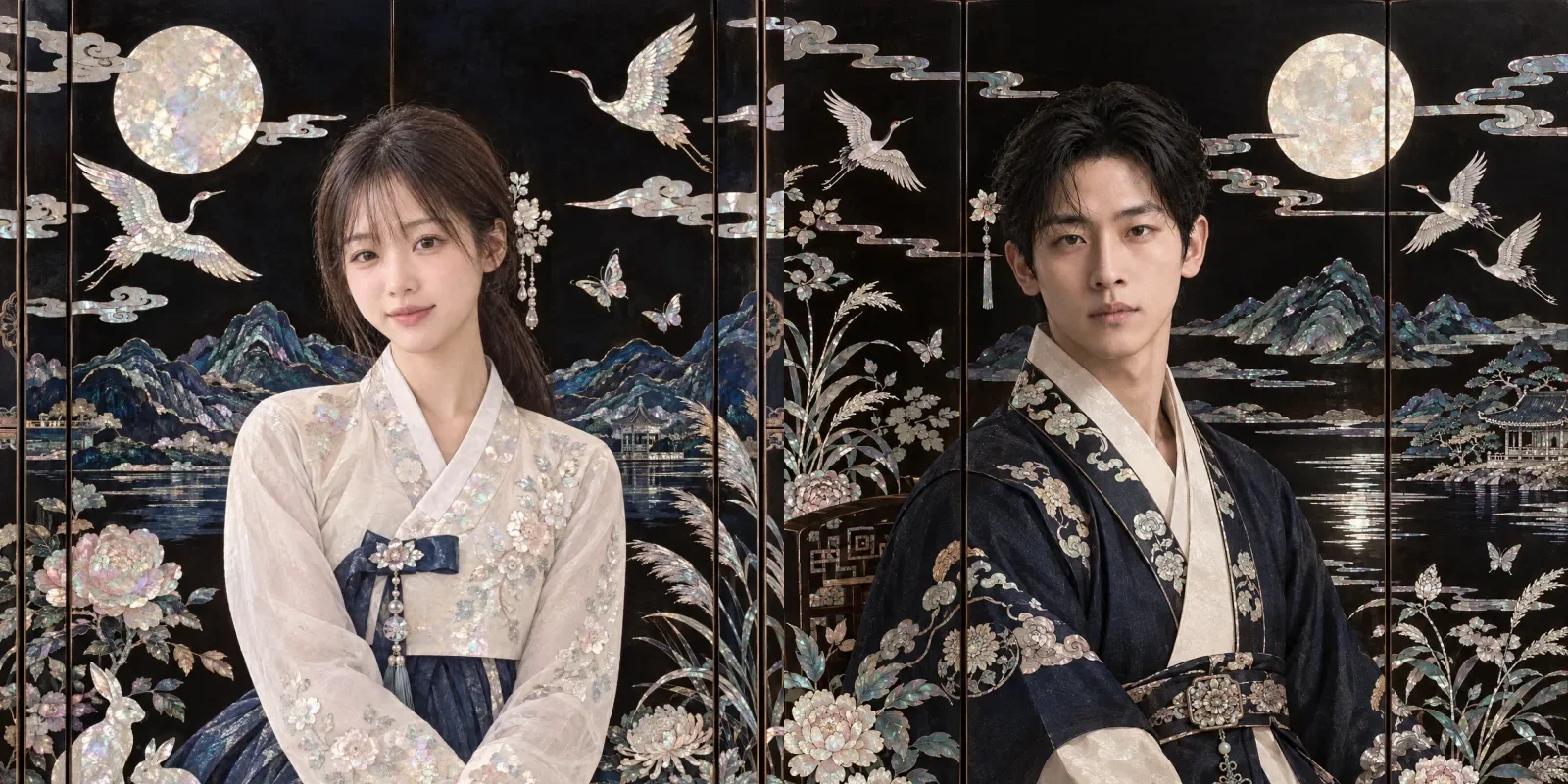
Before and after
Four results, one selfie each. The faces stay human skin; only the clothing and the screen shimmer with mother-of-pearl.
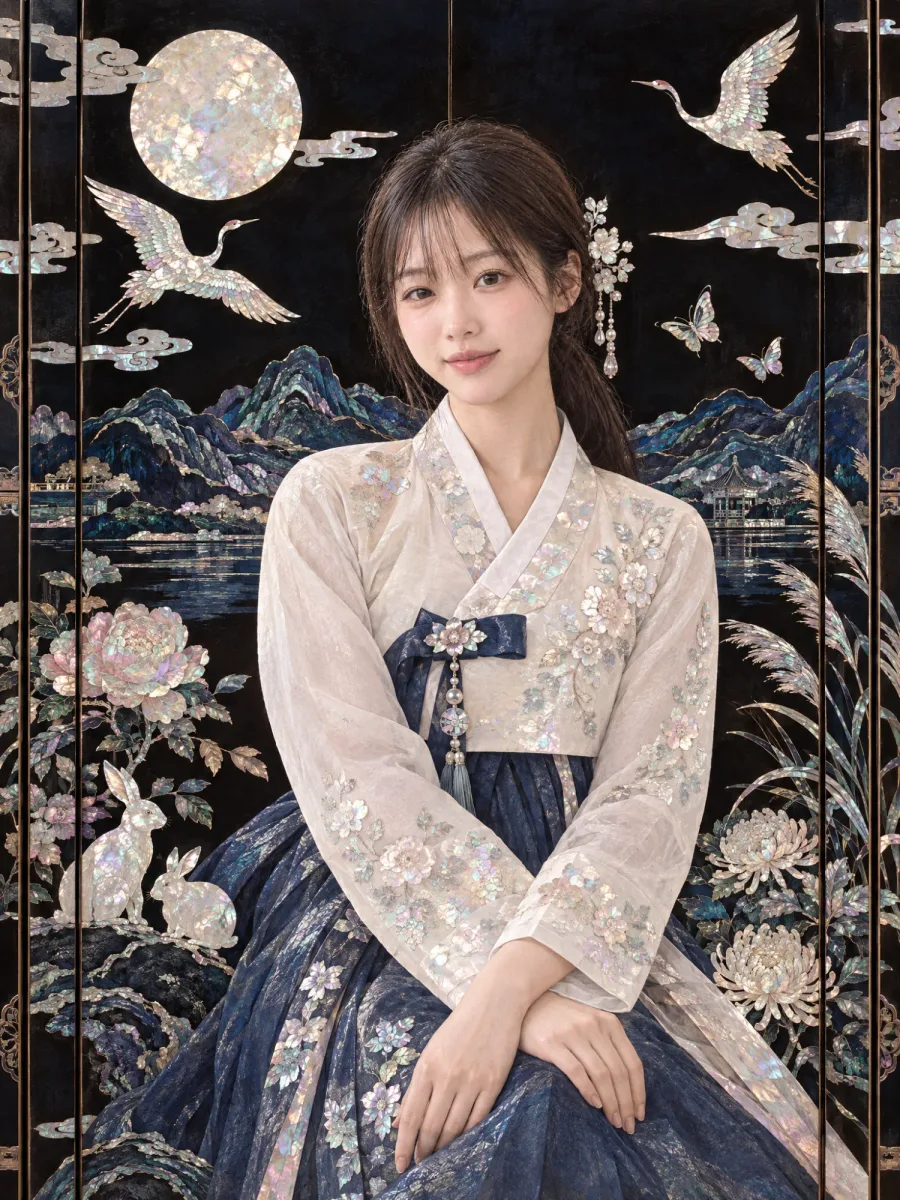
Result Half-length, fringe kept
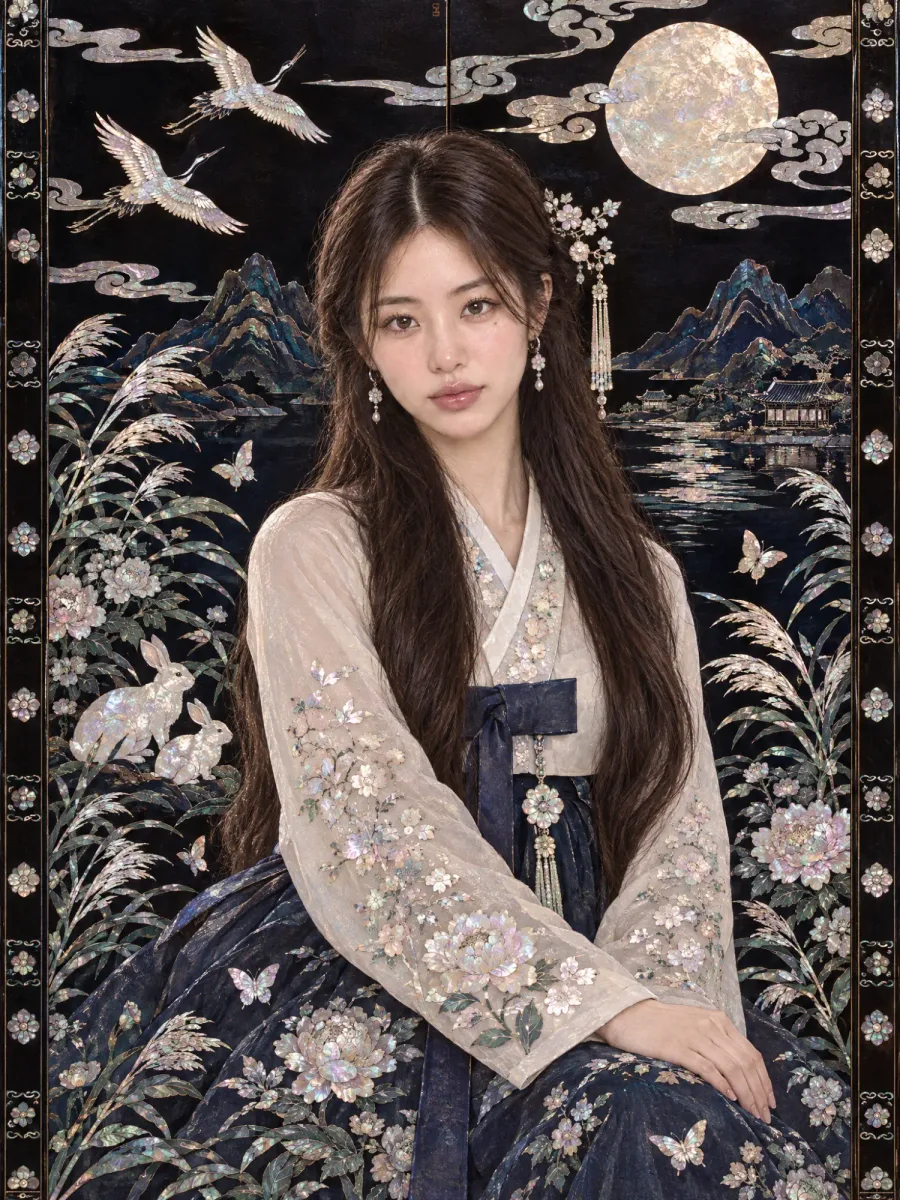
Result Long straight hair
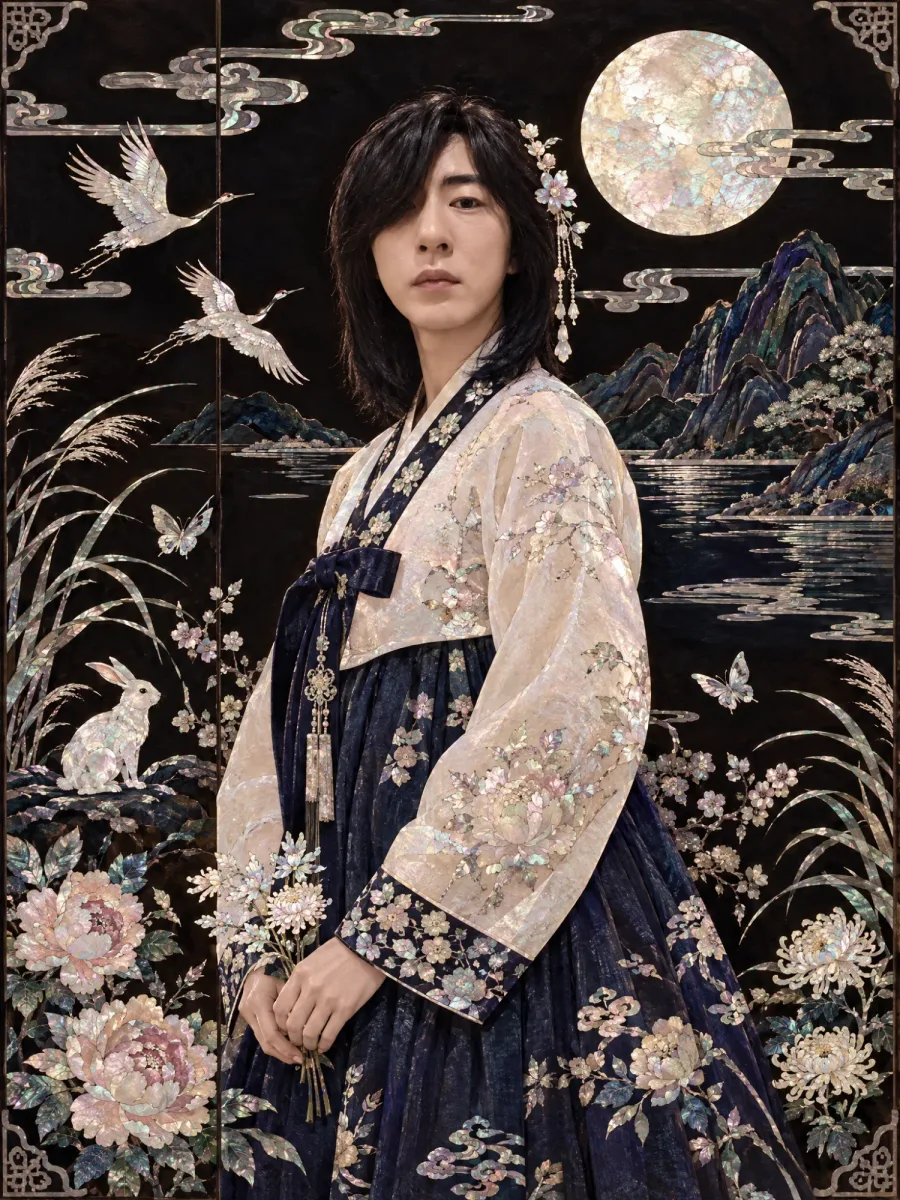
Result A man with long hair
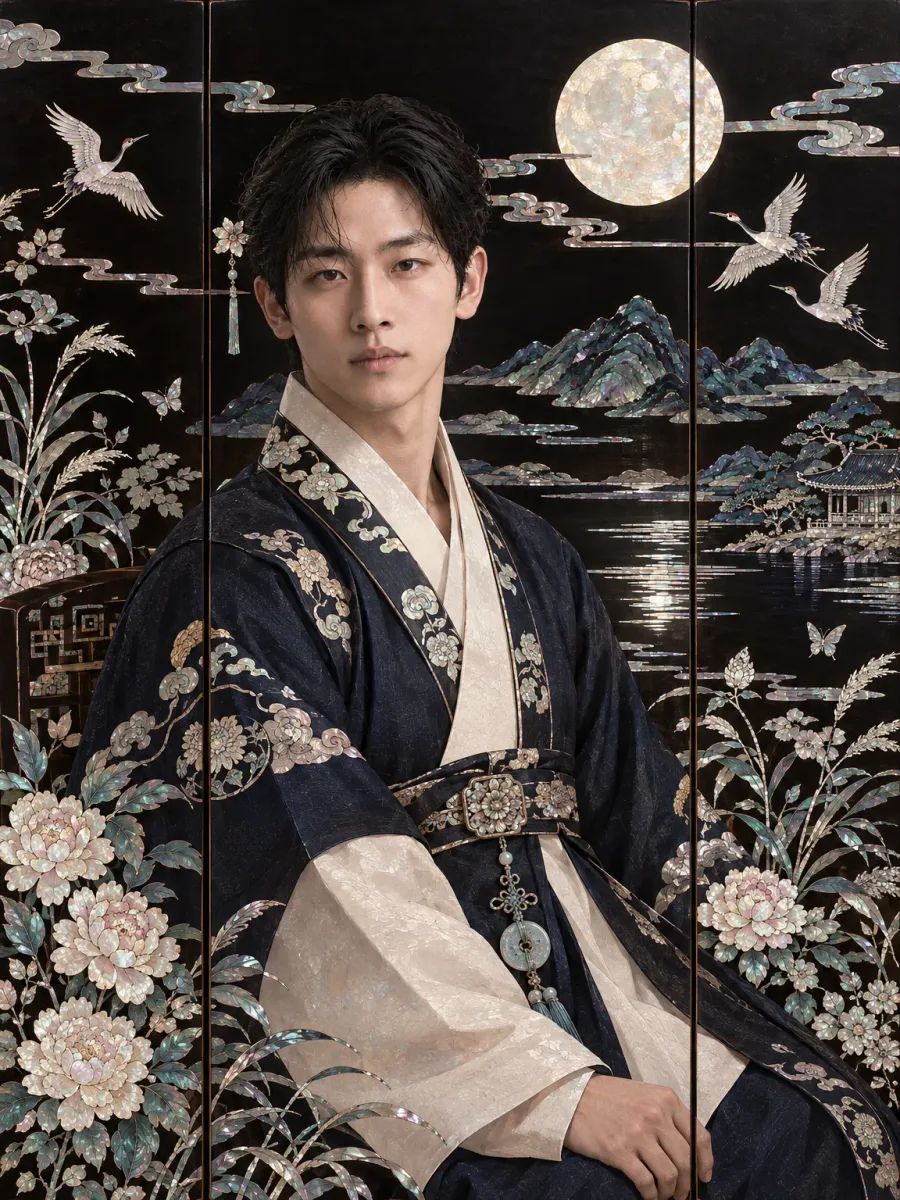
Result A man in a dark robe
What you need
Prepare these before you start. Slot names map to the placeholders in the prompt.
One selfie
photoFace shape, eyes, and skin tone need to be clear. The original pose, expression, background, and composition are not carried over. Use a photo of yourself only.
One selfie, and I ended up inlaid in grandma’s mother-of-pearl cabinet. Pass it down as an heirloom.
In many Korean homes, grandma’s wardrobe or folding screen is black lacquer inlaid with mother-of-pearl, or najeon: cranes, a full moon, and flowers cut from shimmering shell. This prompt puts you inside one.
What we are making
A portrait of you in hanbok at the center of a Chuseok landscape inlaid in mother-of-pearl on a black lacquered screen. The full moon, cranes, rabbits, reeds, chrysanthemums, and peonies all shimmer with iridescent shell grain.
The most careful part of this prompt is the face. If the shell texture spreads onto the face, the person starts to look like a seashell, so the prompt says separately and firmly that no shell pattern or opal sheen goes on the skin. The shimmer stays in the background, the clothing, the hairpins, and the earrings, and the face stays real human skin. That is why it looks like a real person has stepped into the world of the screen.
Three steps
Step 1. Upload one selfie
Upload a selfie of yourself to a YouViCo project. A large, well-lit face is enough.
Step 2. Choose Image in New file ▸ AI
Click New file, then the AI tab. Set the output type to Image, pick a model from the list, and add the photo you just uploaded as a reference file.
Step 3. Paste the prompt and create
Paste the prompt below as is and click Create file. The arrangement of motifs and the clothing change every run, so generate two or three and choose.
Use the uploaded portrait photo only as a reference for facial identity.
Keep the person's face shape, eyes, nose, mouth, skin tone, and overall impression, but do not follow the original photo's pose, expression, background, or composition.
Render the final image as the main figure in a scene from a traditional mother-of-pearl folding screen with a Chuseok mood.
In other words, it must look not like a live-action portrait photo but like a decorative figure painting inlaid in a traditional Korean mother-of-pearl screen.
Place the person naturally as the main figure in the screen's scene, full-length or half-length.
Render the clothing as hanbok or elegant attire with a traditional feel, styled neatly and beautifully to suit the holiday.
Compose the background from symbolic Chuseok scenes,
such as a full moon, clouds, rabbits, cranes, reeds, chrysanthemums, peonies, landscapes, butterflies, and traditional patterns.
These elements must look not like a simple painted background but like the decorative patterns and scene composition inlaid in a mother-of-pearl screen.
Render the whole frame like a traditional craft work decorated with pieces of mother-of-pearl on a lacquered screen ground.
Keep the ground calm in deep black, dark brown, and dark navy tones,
and bring out the iridescent shimmer, mysterious pearly light, and fine shell grain of mother-of-pearl on top of it.
Both the person and the background elements should have the flat yet intricate decorative quality of mother-of-pearl craft.
Do not, however, make it a stiff copy of a folk painting; it should look like a mother-of-pearl screen artwork reinterpreted with modern refinement.
Frame the composition with stability and beautiful negative space, like one panel of a screen.
Do not crowd it; let the person and the full moon or symbolic motifs sit in harmony.
Never turn the person's face or skin into mother-of-pearl.
Keep the skin natural and soft like a real person's, and do not apply shell patterns, opal sheen, rainbow reflections, cracks, or mosaic textures to any exposed skin, including the eyes, nose, mouth, cheeks, forehead, neck, and hands.
Concentrate the mother-of-pearl on the background, the screen, the clothing decoration, accessories such as hairpins and earrings, and decorative elements such as flowers, clouds, the moon, and cranes.
The person should look as if a real human had stepped into the world of the mother-of-pearl screen, with the face keeping a normal human skin color and natural skin texture.
The mother-of-pearl glow should not sit on the face as a material, but appear only as the faintest light reflected from the surrounding inlay.
Arrange the colors luxuriously around ivory, silver, pale teal, soft pink, deep navy, black, and brown, along with the opal-like reflections of mother-of-pearl.
Use subtle, Korean colors that carry the Chuseok mood.
The mood: a Chuseok-limited traditional art poster, Korean craft beauty, the quiet elegance of the holiday, and a sensuous mother-of-pearl art that blends tradition and modernity.
The result should look like a scene from a real mother-of-pearl screen made for exhibition, with the person as its main figure.
Avoid a live-action photo feel, a cheap-ornament feel, excessively flashy gold decoration, cheap glitter effects, decoration that leans Chinese or Japanese, and plastic-like textures.
The aspect ratio must be a tall vertical 3:4.
Tips before you run it
- Keep the face paragraph. The paragraph that begins “Never turn the person’s face or skin into mother-of-pearl” is what keeps the shell pattern off the face.
- Choose the frame with breathing room. A result where you and the full moon sit with space around you looks more like a real screen than one crammed with motifs.
- If it drifts Chinese or Japanese, check that “decoration that leans Chinese or Japanese” is still in the avoid list at the end, then regenerate.
- The ratio is a vertical 3:4. It fits an Instagram feed as is.
- Use a photo of yourself only. Do not make these with other people’s faces.
Frequently asked questions
Does it work with men’s photos?
Yes. The third and fourth examples above were made from photos of men.
A shimmering pattern appeared on the face.
Check that the face paragraph is intact and regenerate. If it keeps happening, pick another model from the list.
How do I get a full-length figure?
Change “full-length or half-length” to “full-length.”
Make your own version
Open your project in YouViCo, attach the references, paste the prompt, and share what you make.