
What Wawa brought instead of an umbrella: an autumn maple-leaf wallpaper prompt
Like our youngest, who came back from a walk with a whole maple leaf. One pet photo becomes an autumn wallpaper of your pet holding a leaf as big as itself, like an umbrella.
- Model
- YouViCo AI generation · New file ▸ AI, output type Image
- Difficulty
- Beginner
- Time
- 5 min, plus a minute or two per image
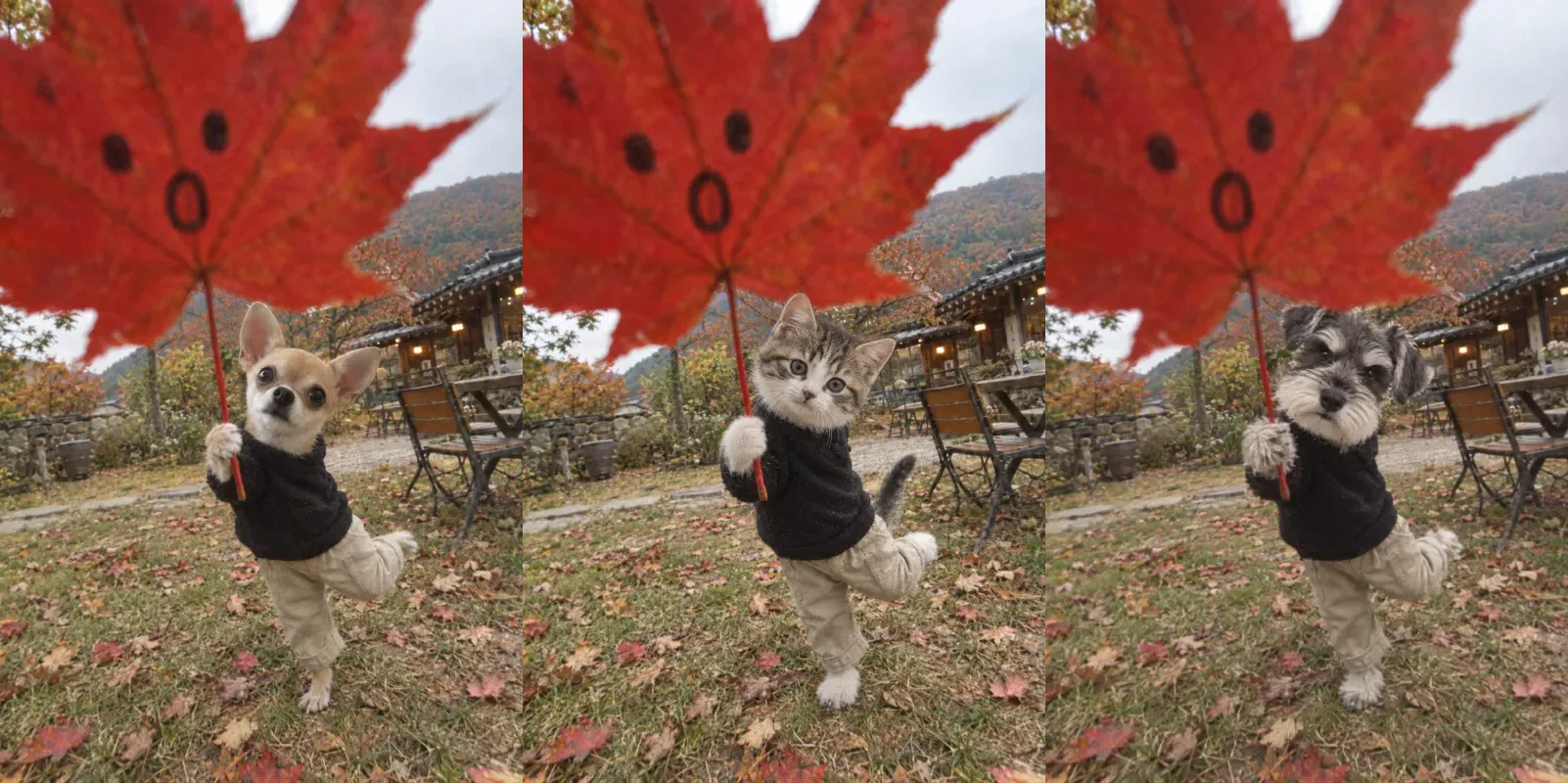
Before and after
The same prompt with only the photo swapped. The outfit, pose, and leaf stay; only the animal changes.
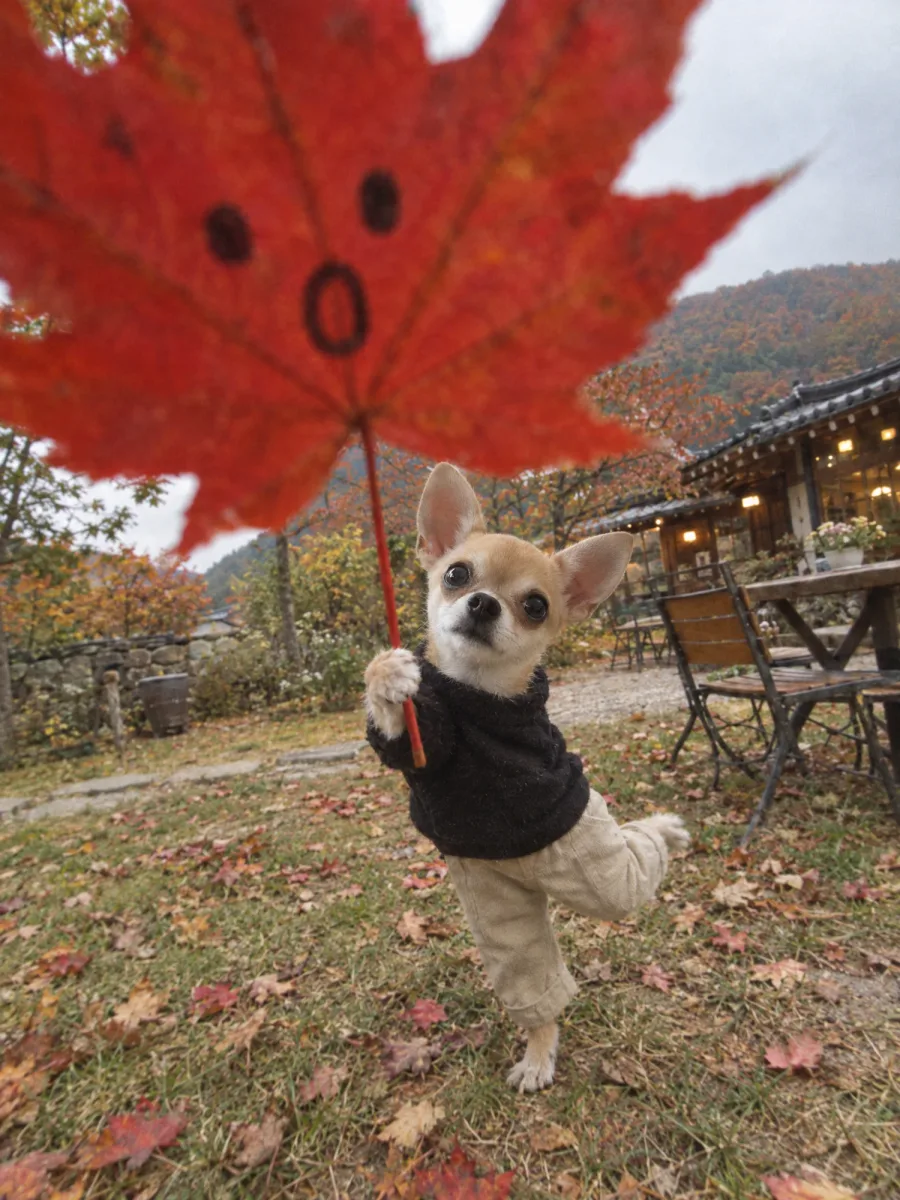
Result Chihuahua
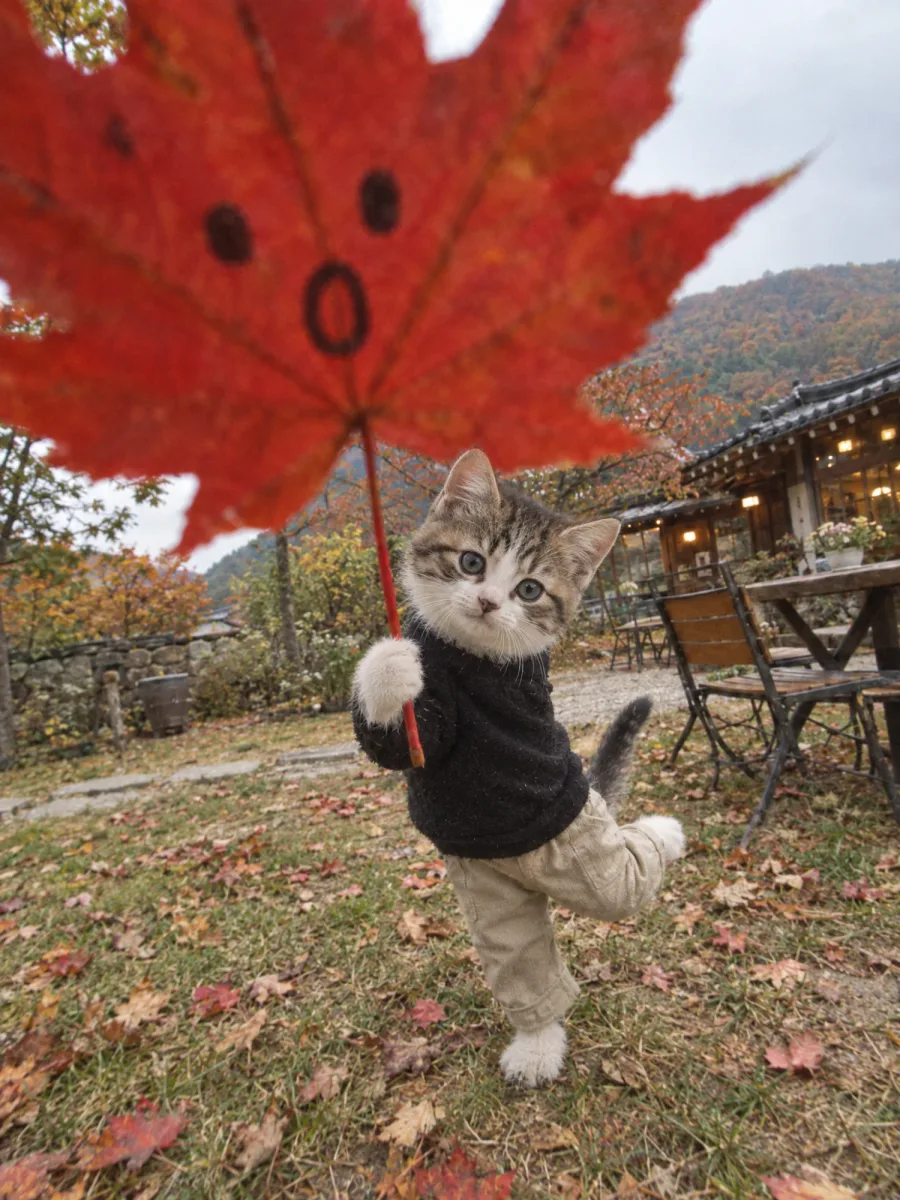
Result Kitten
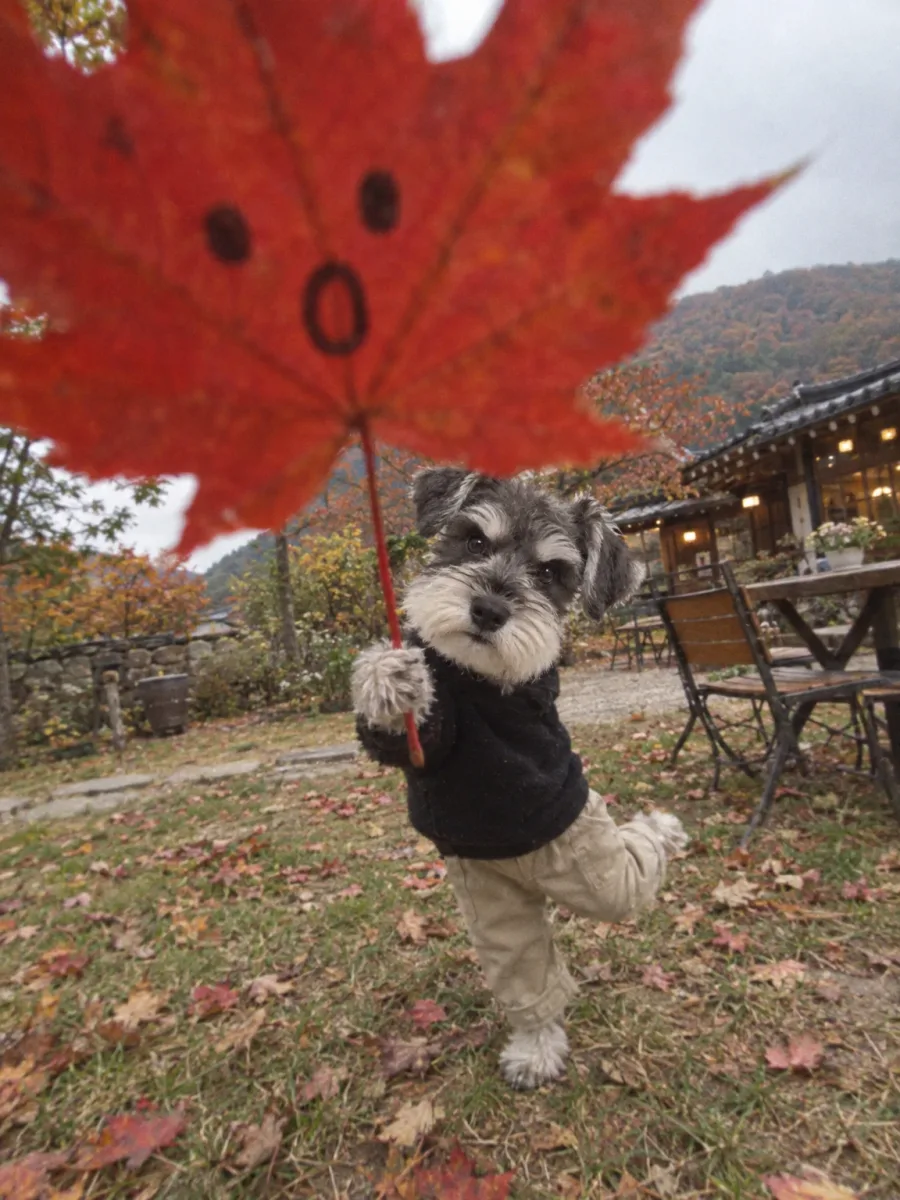
Result Schnauzer
What you need
Prepare these before you start. Slot names map to the placeholders in the prompt.
One photo of your pet
photoThe face and fur color need to be clear. The original pose, composition, and camera angle are not carried over.
What Wawa brought back instead of an umbrella: autumn itself.
Our youngest went out for a walk and came back with a maple leaf. Feed in one photo and your pet stands on one leg holding a leaf as big as itself, like an umbrella. It comes out vertical, so it works well as a phone wallpaper.
What we are making
A giant red maple leaf covers the lens, and behind it your pet stands on two legs in a black top and beige trousers, one hind leg folded up behind, a front paw gripping the stem. Someone has doodled a face on the leaf.
The quality is deliberately lowered, as if shot on an early-2000s digital camera, with noise and slightly missed focus left in. It should feel less like a crisp AI image and more like a photo found in an old album.
The prompt takes only appearance and individual features from the original. The pose, composition, and camera angle are set by the prompt.
Three steps
Step 1. Upload one photo
Upload a photo of your pet to a YouViCo project. A clear face and fur color are enough.
Step 2. Choose Image in New file ▸ AI
Click New file, then the AI tab. Set the output type to Image, pick a model from the list, and add the photo you just uploaded as a reference file.
Step 3. Paste the prompt and create
Paste the prompt below as is and click Create file. The leaf size and the doodled face change every run, so generate two or three and choose.
Use the attached animal photo only as a reference for its appearance and individual features; do not copy the original pose, composition, or camera angle.
Naturally transform the animal into a playful pose: wearing a black top and beige trousers, standing on two legs with one hind leg folded up behind it, holding the stem of a giant red maple leaf in its front paw.
The camera is a low, wide-angle smartphone viewpoint.
The maple leaf is right in front of the lens, filling more than the top half of the frame and slightly out of focus, with a doodle of > < eyes and an O mouth on it.
The animal appears small behind it.
The background is a Korean autumn garden or a countryside cafe yard, with fallen leaves, grass, tables, and chairs.
Overcast natural light, slightly off-kilter handheld framing, the low image quality, fine noise, and slightly imperfect focus of an early-2000s digital camera, photoreal, a cute and quirky mood, portrait orientation.
Tips before you run it
- The doodled face changes every run. The prompt asks for > < eyes, but all three examples above came out with dot eyes. Generate a few more, or rewrite the doodle sentence with the face you want.
- One sentence changes the outfit. Replace “a black top and beige trousers” with whatever you like.
- The soft, noisy quality is on purpose. For a crisp photo, delete “the low image quality, fine noise, and slightly imperfect focus of an early-2000s digital camera.”
- Generate two or three, then choose. Which leg lifts and how the paw grips the leaf differ every time.
- Use photos of your own pet. Avoid making these from other people’s pets.
Frequently asked questions
Do cats stand on two legs too?
Yes. Like the kitten above, the prompt dresses the animal and stands it on two legs naturally.
The face came out a little off.
Swap in a photo where the face is larger and better lit, then regenerate. Photos taken from far away carry less facial information.
The leaf comes out too small.
Check that “filling more than the top half of the frame” is still in the prompt, then regenerate.
Make your own version
Open your project in YouViCo, attach the references, paste the prompt, and share what you make.